
Using TradingView Live Charts for Market Analysis
📈 Discover how TradingView live charts help traders in Pakistan analyze markets in real-time with key features, customization, and smart tips for better decisions.
Edited By
Stephen Collins
In today’s fast-paced financial markets, having the right tools to analyze trends can make or break your trading strategy. TradingView.com is one such tool that has grown popular among traders, investors, and analysts alike, including here in Pakistan. It offers a rich mix of charting tools, indicators, real-time data, and a strong community network that can help sharpen market insights.
This guide will walk you through TradingView’s core features, showing you how to use their charts and indicators to read markets effectively. Whether you’re checking stock movements, forex rates, or cryptocurrencies, this platform packs quite a punch for market analysis.
By unpacking the different functionalities, explaining subscription options, and highlighting community aspects, this guide aims to help you decide if TradingView is worth your time and investment. Getting familiar with this platform could streamline your workflow and improve decision-making around market movements in Pakistan and beyond.
Remember: Tools like TradingView don’t guarantee profits, but used wisely, they can give you an edge by making market data easier to digest and interpret.
TradingView.com is a major player when it comes to market analysis tools, especially for traders and investors in Pakistan looking for a reliable platform. Understanding what TradingView offers and how to navigate it is a vital first step because it can shape your approach to analyzing various markets effectively. The platform's ease of access combined with its powerful features makes it a practical choice for both beginners and seasoned professionals.
TradingView serves as a comprehensive tool for charting and analyzing financial markets. Essentially, it’s designed to bring real-time market data and advanced analysis tools into one place, helping traders make educated decisions quickly. For example, a forex trader in Lahore can watch currency movements live and apply indicators to identify entry and exit points without juggling multiple apps.
TradingView doesn’t limit users to one asset class. It includes stocks, forex, commodities, cryptocurrencies, and indices—something especially handy for Pakistani traders who might want to diversify their portfolios. Whether you’re tracking rupee-dollar exchange rates or monitoring gold prices, the platform covers a broad spectrum, providing a one-stop shop for most trading needs.
With millions of active users worldwide, TradingView supports a diverse community from traders to analysts and financial educators. The social aspect means Pakistani users can tap into discussions, share ideas, and follow global trends – all from their homes. This mix of perspectives enriches market analysis and helps avoid tunnel vision that can come from trading in isolation.
Navigating TradingView’s website is straightforward, even if you’re new. Once you land on the homepage, the top menu guides you through charts, screeners, and community posts logically. For example, the charting section is front and center, allowing quick access to tools where you can select assets, apply indicators, and analyze market moves.
TradingView works well both on desktop and mobile. Its web version loads smoothly on typical internet setups in Pakistan, and the mobile apps for Android and iOS let you track markets on the go. This flexibility means you can remain connected to your trades whether you’re at the office, commuting, or at a local market.
One key point for Pakistani users is the availability of local market data. TradingView integrates data from major Pakistani exchanges, but sometimes there might be delays or limited coverage on some instruments. For active traders, knowing the exact timing and accuracy of local data feeds is crucial to avoid surprises when taking trades.
Accessing reliable and near real-time data is what separates useful analysis from guesswork. Always check how up-to-date the data is for your preferred market.
In short, this introduction gives readers a clear understanding of TradingView’s utility and how to get started comfortably from Pakistan. It sets the tone for deeper dives into specific features and practical tips coming in later sections.
TradingView is packed with features that make market analysis more effective for traders everywhere, including those in Pakistan. Understanding these core tools not only saves time but also sharpens your trading decisions. Whether you’re eyeing stocks, forex, or cryptocurrencies, getting familiar with TradingView’s charting and analysis options helps you spot opportunities with more clarity.
TradingView offers a variety of chart types tailored for different trading styles. You’ll find the classic candlestick chart, which is the bread and butter for most traders due to its clear visual cues on price movement. For those who like something different, there are line charts, bar charts, renko, and even Heikin-Ashi charts. Renko, for example, filters out smaller market noise and highlights trends more clearly, which is handy when the market feels jumpy.
Switching between these chart types can change how you interpret the market. For instance, a day trader focusing on short-term moves might lean on candlesticks combined with volume bars, while a swing trader could prefer Heikin-Ashi to smooth out daily fluctuations. The flexibility here lets you fit the charts to your strategy instead of forcing your analysis into one mold.
Visual tools like trendlines, Fibonacci retracements, and channels give you a leg up when spotting patterns. TradingView’s drawing toolkit is straightforward — you can sketch support and resistance levels, highlight price gaps, or mark entry and exit zones directly on your chart. This hands-on feature is a must for anyone who likes to take notes or wants to track ideas visually.
Annotations can be saved alongside your setup, so when you revisit an asset, you see your thought process mapped out. For example, marking a resistance level on the Pakistan Stock Exchange chart helps you remember the price area where sellers might step in.
One of TradingView’s strengths is its range of timeframes—from 1 minute up to monthly and yearly charts. This allows you to zoom in for scalping or zoom out for long-term trends. Plus, you can customize your view with multiple charts on one screen, which is perfect for the multitasker watching different forex pairs or sectors at once.
Customization extends to everything: choosing candle colors, grid styles, background themes, and saved templates. Setting your preferred layout means you don’t waste time adjusting visual settings every day — just dive right into analysis.
TradingView supports a solid bunch of key indicators straight out of the box. Favorites like RSI (Relative Strength Index), MACD (Moving Average Convergence Divergence), and Bollinger Bands are readily available and widely applied by traders to gauge momentum, trend strength, and volatility.
Take RSI, for instance—it's super handy for signaling if a stock or currency is overbought or oversold, helping you time entries better. For Pakistani traders active on forex or local equities, these indicators provide quick, digestible signals without requiring deep math skills.
If you want more tailored insights, TradingView lets you create or add custom indicators using Pine Script, their native coding language. It may sound intimidating if you’re not a coder, but you can find plenty of user-created scripts in the public library. For example, someone in the community might have scripted an indicator specifically tuned to the volatility of the PKR/USD pair.
This ability to layer personalized indicators means you can combine different strategies and adapt them over time, rather than relying solely on generic tools.
Studies on TradingView aren’t just about indicators—they include pattern recognition and volume analysis too. Studies help make sense of price action beyond simple trendlines. For example, volume profile studies show where the majority of trading took place over specific price ranges, highlighting areas of strong support or resistance.
You can stack multiple studies to create a richer picture. Say, pairing MACD with moving averages and a volume oscillator to confirm a trend direction. The important thing is to avoid overloading your charts, which can muddy the water. Better to pick a few solid studies that match your trading style and stick to them consistently.
Core features like charting tools and indicators are not just fancy add-ons—they’re the backbone of successful market analysis. Mastery here can make the difference between guessing and knowing.
In sum, using TradingView’s core features wisely helps traders stay one step ahead. From choosing the right chart type to applying well-tuned indicators and notes, these tools turn the noise of market data into clear signals for smarter trading.
Using TradingView effectively for market analysis can really sharpen your trading decisions. This platform isn't just about pretty charts – it's a powerful tool that brings together data, visualization, and customizable alerts, helping you stay ahead in fast-moving markets. Whether you're watching stocks, forex, or cryptocurrencies, having a solid setup on TradingView can save you time and catch moves you might otherwise miss.
Organizing your potential trades or assets in watchlists is a key step. TradingView lets you group related instruments – for example, all major Pakistani stocks like Pakistan Oilfields, Habib Bank, and Engro Corporation – or different currency pairs you'd like to keep an eye on. This way, you can quickly switch between your focus areas without digging through endless symbols.
It's practical because you can monitor price changes, volume spikes, or news impact all in one place. TradingView allows multiple watchlists, so you can have one for long-term holds and another for short-term trades, making your workflow more efficient.
Alerts on TradingView can be set for a variety of triggers: price level, crossing indicators, trend lines breaks, or even custom Pine Script signals. For example, say you're tracking the USD/PKR exchange rate – you can set an alert to pop up when it crosses a certain level, like 285, helping you jump on opportunities without hovering over charts all day.
The platform sends notifications to your email, SMS, or app notifications, which is handy if you're away from your desk. This ensures you don't miss crucial market moves that might impact your positions.
Customizing alerts is where TradingView shines. You can specify conditions with multiple variables – say, an RSI indicator above 70 combined with a MACD crossover – to minimize false alarms.
For example, if you want to catch overbought situations in a particular commodity like crude oil, you might set an alert when the RSI hits 75 and price reaches a resistance level. This precision helps you tailor alerts to your exact strategy and risk tolerance.
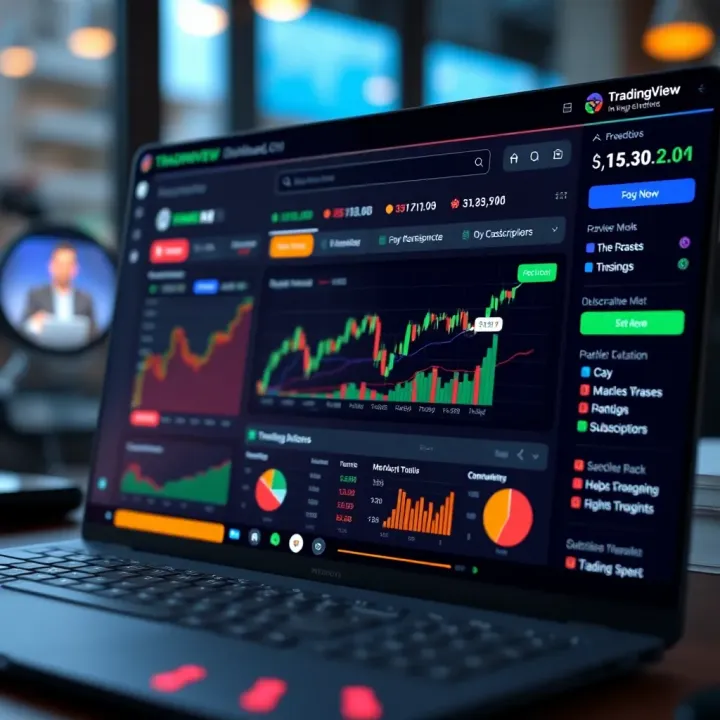
TradingView offers detailed charts and data for stock markets worldwide, including Pakistan Stock Exchange (PSX). You get access to candlestick patterns, moving averages, volume profiles, and more, enabling you to identify trends or reversal points.
For instance, you could analyze the price trend of Lucky Cement using a 50-day moving average and RSI for momentum to decide entry or exit. This mix of technical insights aids in making smarter buys or sells.
Forex pairs and cryptocurrencies like Bitcoin or Ethereum are hot areas on TradingView. The platform supports deep technical studies and real-time price feeds, crucial for markets that never sleep.
Imagine you’re trading EUR/USD and want to surveil 15-minute chart patterns during Asian hours. TradingView’s flexible timeframes and lightning-fast alerts help you react quickly when breakout patterns form.
Commodities such as gold, crude oil, and indices like the S&P 500 also feature prominently on TradingView. These markets behave differently due to macroeconomic factors and geopolitical events, so the ability to overlay news feeds and technical indicators is valuable.
Say you want to monitor Brent crude where geopolitical tensions might impact prices unpredictably. Using TradingView, you can combine technical setups with news alerts to navigate volatile swings.
Effective market analysis means having the right tools to spot changes early and act accordingly. TradingView’s mix of watchlists, alerts, and versatile asset coverage makes it a reliable companion for traders in Pakistan and beyond.
By setting up targeted watchlists, fine-tuning alerts to your strategy, and leveraging deep analytic tools for various asset classes, TradingView helps you stay organized and responsive in today’s markets.
TradingView isn’t just about charts and numbers; it thrives because of its vibrant community. For traders, particularly those navigating volatile markets like in Pakistan, the ability to engage with others adds a whole other layer of value. You’re not just analyzing data alone; you get to bounce ideas off fellow traders, share insights, and learn different perspectives that can refine your market approach.
This social side helps demystify complex trends and offers real-world advice from peers who have been through the ups and downs. It’s like having a group of trading pals looking over your shoulder, providing tips, or warning you about pitfalls without you needing to dig through endless tutorials.
One of the standout community features is the ability to publish your own trading setups. Imagine spotting a neat pattern or a promising indicator signal—by sharing this on TradingView, you’re allowing others to see your thought process and strategy. This isn’t just ego boosting; it’s a way to get feedback, build credibility, and even spark conversations that help you fine-tune your approach.
For example, a trader noticing a developing head-and-shoulders pattern on the Karachi Stock Exchange could post it with annotations and reasoning. Fellow users might chime in with their predictions or suggest alternate exit points, turning a solo insight into a collaborative analysis.
On the flip side, TradingView is a treasure trove of ideas shared by thousands of traders worldwide. Whether you’re stuck searching for fresh setups or want to check how others interpret recent moves in tech stocks or forex pairs like USD/PKR, the platform makes it easy to browse and learn.
You can filter ideas by popularity, recentness, or specific markets, helping cut through the noise. Plus, seeing a variety of opinions exposes you to diverse methods—maybe someone uses RSI divergences when you hadn’t considered it, or a trader sharing cotton futures tips offers crossover insights.
For those comfortable with a bit of coding, Pine Script is a game changer. It lets you automate your strategies or create custom indicators tailored exactly to your trading style. Say you want alerts triggered only when a specific moving average crossover happens at certain volume levels—not all platforms let you customize so deeply.
Some traders upload their Pine Script creations, sharing them with the community. This means you don’t always have to start from scratch; you can adapt and build on top of others’ work, speeding up your strategy development while keeping it personalized.
TradingView allows you to follow other traders whose ideas or analysis you find valuable. This is like having a curated newsfeed of market wisdom tailored to your interests. Over time, you naturally build a network of reliable sources, helping you spot trends or warnings earlier.
For Pakistani traders especially, following local market experts or fellow retail traders can provide insights relevant to the nuances of domestic exchanges or currency movements that global analysts might overlook.
The platform’s chat rooms and discussion threads enable real-time or near-real-time conversations about markets and trading strategies. Joining these rooms means you’re not just a passive observer but an active participant.
Here, quick questions get answered, recent news triggers discussions, and collective knowledge helps everyone learn faster. It’s a bit like being on a trader’s floor without the crowds and frantic energy but still getting the buzz of collective action.
Engaging socially on TradingView has several practical benefits:
Faster Problem-Solving: Got a confusing pattern? Someone’s likely seen it before and can help.
Learning New Approaches: Different traders bring fresh ideas, styles, and tactics.
Emotional Support: Trading can be lonely and stressful; community interaction keeps morale up.
"Trading alone is tough, but sharing your ideas and listening to others can lighten the load and sharpen your edge."
Social interaction on TradingView not only enhances knowledge but also builds confidence and discipline—qualities every trader needs to keep their game strong regardless of market ups and downs.
Planning your trading strategy with TradingView is an essential step that helps bridge the gap between raw market data and real-world trading decisions. A well-thought strategy isn’t just about guessing which way the market will move—it’s about backing those guesses with solid analysis and preparation. TradingView supports this approach by offering tools that help traders test, refine, and execute their strategies in a practical manner.
By using TradingView, traders can simulate trades over different time periods and asset classes to see how their strategies might have panned out historically. This hands-on trial lets you spot flaws and strengths before putting actual money on the line. For example, instead of just relying on gut feelings, a trader can backtest a moving-average crossover strategy on the Pakistan Stock Exchange and adjust parameters to fit local market behavior.
This section covers two main parts: backtesting strategies and risk management tools. Both are critical as they serve distinct yet complementary roles. Backtesting ensures the strategy is workable, while risk management tools help keep losses in check when the market doesn’t behave as expected.
TradingView’s replay feature is like a time machine for charts. It lets you play back price movements over any given period, frame by frame, allowing you to test how your strategy would react to real past market data. For instance, you can replay Bitcoin’s price actions during a volatile 2021 rally and see how your entry and exit rules perform in fast-moving markets.
This hands-on testing helps traders familiarize themselves with market conditions that might not appear obvious in static charts. By advancing the chart bar-by-bar, you can observe signals unfold in real time, helping you understand the timing and confirmation of your setups better.
After using the replay feature, assessing your strategy’s historical performance provides measurable feedback. TradingView allows you to review key metrics like profit factor, win rate, and drawdowns based on past data. This evaluation highlights whether your strategy would have delivered consistent gains or suffered large setbacks.
For example, if your strategy shows a high win rate but poor risk reward, you might reconsider your target settings or stop-loss placements. This quantitative look reduces guesswork and improves confidence in your approach.
Backtesting isn’t a one-and-done deal. It’s an iterative process where you tweak and test repeatedly. If your strategy underperforms or exposes vulnerabilities, TradingView makes it easy to make changes, whether adjusting indicator parameters or altering entry criteria.
A trader working with forex pairs like USD/PKR might discover certain technical signals perform better during specific hours due to local market liquidity. Quickly adapting to these insights can dramatically improve trading results.
Remember, a flexible strategy that evolves with market conditions is much more valuable than a rigid one.
One of the trickiest parts of trading is deciding how much to risk on each trade. TradingView’s position sizing calculators help take the guesswork out of this by computing the exact size of your position based on your risk tolerance and stop-loss distance.
For example, if your account balance is PKR 100,000 and you want to risk only 2% per trade, the calculator tells you precisely how many shares or contracts you can take without exceeding your risk limit.
Implementing stop-loss and take-profit levels is crucial to protect your capital and lock in profits. TradingView makes it easy to visually set these points directly on your charts. Seeing your stop-loss and take-profit zones alongside current price action helps you maintain discipline and avoid emotional decisions.
This visual approach is especially useful in volatile markets like cryptocurrency, where prices can swing rapidly within minutes.
Beyond position sizing, managing risk involves understanding metrics such as maximum drawdown, risk/reward ratio, and expectancy. TradingView provides tools and scripts that calculate these metrics automatically based on your trades or strategy settings.
By regularly monitoring these risk metrics, you can spot when a strategy might be deteriorating or when risk is creeping beyond acceptable limits. For instance, a strategy showing an increasing maximum drawdown is a clear signal to re-evaluate or pause trading.
Effective risk management isn’t optional; it’s the cornerstone of sustainable trading success.
In short, TradingView equips traders with practical instruments to plan, test, and execute trading strategies thoughtfully. Whether you’re using replay features for strategy validation or position sizing calculators to manage risk, the platform supports smarter trading decisions tailored to your style and market conditions.
Knowing the subscription options and associated costs on TradingView is essential before diving deep into market analysis. Every trader's needs differ—what might be overkill for a casual investor could be just right for a full-time analyst. Understanding these options will help you avoid paying for features you don't need while ensuring you don't miss out on those that matter.
TradingView offers multiple plans, each with its own set of features and pricing structures. For instance, the free plan provides the basics for someone starting out or just dabbling in market analysis, whereas paid plans unlock more advanced capabilities essential for serious traders.
Number of indicators and charts
The free tier lets users add up to three indicators per chart and only one chart layout per tab. For beginners, this is usually enough to track basic moving averages or volume. But if you rely on combining several indicators, like Bollinger Bands, RSI, and Moving Average Convergence Divergence (MACD), you might quickly hit the limits. Similarly, viewing multiple charts simultaneously is restricted, which can be limiting if you want to monitor different assets side-by-side.
Access to real-time data
While many assets offer delayed data on the free plan, some real-time data access is available, mainly on popular markets. However, certain exchanges charge TradingView for real-time feeds, which means free users might only see data delayed by 15 minutes or more. This could hamper timely decision-making, especially in fast-moving markets like forex or cryptocurrencies. Keep this in mind depending on the markets you trade.
Community features available
Even on the free plan, users can engage with TradingView's social features like publishing ideas and accessing others' setups. However, the ability to save private scripts or access premium community content is limited. This means while you can learn from others and share your thoughts, you won't get the full range of collaborative or custom script benefits unless you upgrade.
Pro, Pro+, and Premium feature sets
Moving up from the free plan, the Pro, Pro+, and Premium tiers open up advanced functionality. For example, the Pro plan allows up to five indicators on one chart and multiple charts in one layout. Pro+ ups that to ten indicators and the ability to use multiple device logins, which is handy if you trade from your phone and desktop. The Premium plan offers 25 indicators per chart, custom alerts, and priority customer support—features prized by active traders who require precision and speed.
Cost considerations for Pakistani traders
When pricing in Pakistan, consider local currency fluctuations and payment options. TradingView's plans are billed in USD or EUR, so always check the current exchange rates and any international transaction fees that might apply with your card or payment method. Sometimes, annual subscriptions prove more economical than monthly payments. Also, Pakistani traders should weigh the relative value—sometimes even the Pro plan significantly improves trading analysis without a heavy financial burden.
Choosing the right plan for your needs
Start by assessing how you trade: do you rely on simple indicators, or do you combine multiple tools and charts? If most of your trading involves quick decisions and complex setups across various markets, a Pro+ or Premium plan may suit you better. Conversely, if you're experimenting or sticking to a single market, the free or Pro plan might suffice. It's smart to try the free tier initially and upgrade as your needs grow.
Remember, overpaying for features you won’t use is just as wasteful as not having critical tools when you need them. Plan your TradingView subscription carefully to match your trading style and budget.
By closely examining subscription options and their costs, traders in Pakistan can pick the best plan that fits their analytical approach without unnecessary expense.
When it comes to trading, every advantage counts. TradingView is packed with features, but mastering a few simple tips can really make that platform work in your favor. Getting the most from TradingView isn’t just about watching charts; it’s about setting up your workspace and tools so you can quickly react to market moves without feeling overwhelmed. Let's break down how customizing your dashboard and staying updated with news can boost your market analysis and trading decisions.
A cluttered screen can spoil even the best analysis. TradingView allows you to arrange multiple charts and tools on one page, which is especially handy if you watch several markets or asset classes. For example, you might set up a three-chart view: one for Pakistan Stock Exchange indices, another for Forex pairs like USD/PKR, and a third for cryptocurrencies like Bitcoin or Ethereum. Positioning them side by side saves time toggling between tabs and helps spot correlations.
Dragging and dropping windows, resizing charts, and positioning drawing tools are straightforward. You can even add or remove toolbars based on what you use often. This custom setup means your key tools and charts are always front and center, helping you catch patterns without fumbling through menus.
Once you've arranged your charts and indicators just right, don't forget to save the setup as a layout. This means whenever you log back in, it's like picking up where you left off. Say you set up a layout for day trading with short timeframes and a few momentum indicators; another layout could have longer-term charts and fundamental data for investing.
TradingView lets you save multiple layouts, so you can switch quickly depending on your trading style or focus that day. It’s a real time-saver that keeps you organized, avoiding the headache of rebuilding your workspace from scratch.
Keyboard shortcuts might sound a bit old school, but they’re a neat way to speed up your workflow. Instead of wasting seconds clicking through menus, hotkeys let you change chart types, zoom in/out, add annotations, or toggle indicators with a couple of keystrokes.
For instance, pressing 'Alt+T' might bring up the trendline tool, or 'Alt+S' could save your chart image. Getting familiar with even just a handful of frequently used shortcuts will make your work smoother and more efficient, especially in fast-moving markets.
TradingView doesn’t just show charts; it also pulls in news from various sources relevant to the markets you watch. Integrated news feeds mean you get market-moving headlines without leaving the platform. For a trader in Pakistan, this could mean quick access to updates about the State Bank policies, political developments affecting the Karachi Stock Exchange, or changes in commodity prices.
Having news side-by-side with charts lets you confirm if a price move aligns with an event, making your analysis richer and more contextual. It’s like having a news ticker right where you trade.
Markets are no island, not even local ones. Events like US Federal Reserve rate decisions or Chinese trade policies often ripple into Pakistan’s markets. TradingView allows you to keep a close eye on an economic calendar. You can see when major reports like inflation numbers, GDP announcements, or employment data are due.
By tracking these events, you avoid surprises and can better anticipate volatility. For example, knowing when the CPI report releases might spare you from opening a big position just before potential market turbulence.
Markets can shift in a blink when news breaks. TradingView lets you set alerts not just for price levels but also for news events. You can customize alerts to notify you via email, SMS, or app notification when key reports are published or when certain conditions are met in the news feed.
This hands-free update system means you won't have to constantly watch the screen. Whether it’s a surprise interest rate tweak or an unexpected geopolitical event, timely alerts keep you in the loop and ready to act without delay.
Personalizing your TradingView experience with thoughtful dashboard arrangement and staying on top of news is like having a personal assistant constantly watching the markets for you — invaluable for making smart, timely trades.
In short, a well-tuned TradingView setup combined with active news monitoring can sharpen your market edge, helping you trade smarter and not harder, especially in a market as dynamic as Pakistan's.
Wrapping up this guide, it's clear that TradingView.com offers a versatile set of tools that cater to a wide range of traders and analysts. This final section helps you digest all the key insights we've covered and points you toward practical ways to apply them in your daily market activities. Whether it’s customizing chart views or following key economic events, understanding these recommendations can sharpen your market analysis.
One takeaway is how TradingView balances simplicity and depth, allowing you to start small but grow your skillset without jumping between multiple platforms. For example, using watchlists effectively or setting up real-time alerts can seriously cut down on missed opportunities, especially in fast-moving markets like Forex or crypto.
Remember, the goal is not just to know what tools are out there but to use them in a way that fits your trading style and goals.
TradingView is a solid choice whether you’re just starting out or have years of trading experience. For beginners, the platform's intuitive design and plentiful tutorials make it easier to get accustomed to charts and indicators without feeling overwhelmed. Features like preset technical indicators and straightforward alert systems provide immediate value without a steep learning curve.
Experienced traders will appreciate TradingView's highly customizable environment—think multiple chart layouts, advanced scripts via Pine Script, and complex alert conditions. For example, a seasoned day trader might set up a multi-timeframe analysis on stocks and automate alerts for specific price breakouts to act quickly.
This dual appeal means you can begin simply and add complexity as your confidence grows, a huge plus in a market where learning never really stops.
TradingView caters to various market players including retail traders, institutional analysts, educators, and investors. If you're a retail trader dabbling in cryptocurrencies or Forex from Pakistan, the platform offers accessible local and international market data to keep you informed.
For financial educators or analysts, the social aspect of TradingView is a valuable feature that lets you share ideas, scripts, and analysis with a global audience. Meanwhile, investors looking for a broad overview of multiple markets can customize dashboards showing stocks, commodities, and indices side by side.
Starting on TradingView is straightforward. Head over to the site, sign up with an email or social account, and immediately access a free version to explore charts and basic indicators. Beginners should focus initially on setting up a simple watchlist with a few key assets, perhaps related to Pakistan stock exchanges or favorite Forex pairs like USD/PKR.
Once comfortable, explore adding alerts based on specific price levels or indicator signals to start getting notified of market movements without staring at the screen all day.
To get the most from TradingView, invest some time browsing their tutorial section and community forums where real traders share their setups and tips. You might also check out YouTube channels dedicated to TradingView tutorials—many creators break down complex features in easy-to-understand language.
Consider practicing with the replay feature or backtesting tools to gain hands-on experience adjusting strategies without risking real money. These resources help fast-track your learning curve and build confidence.
📈 Discover how TradingView live charts help traders in Pakistan analyze markets in real-time with key features, customization, and smart tips for better decisions.
📊 Master TradingView with this practical guide! Learn to customize charts, use real-time data, and sharpen your market analysis skills effectively.
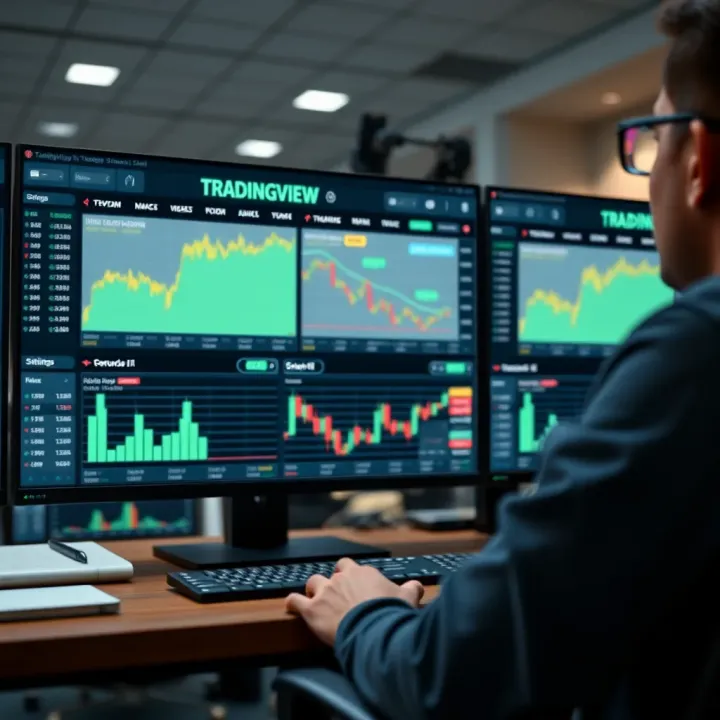
Discover how to implement TradingView charts and widgets effectively for market analysis 📊. Learn setup, customization, and practical tips for traders and developers.
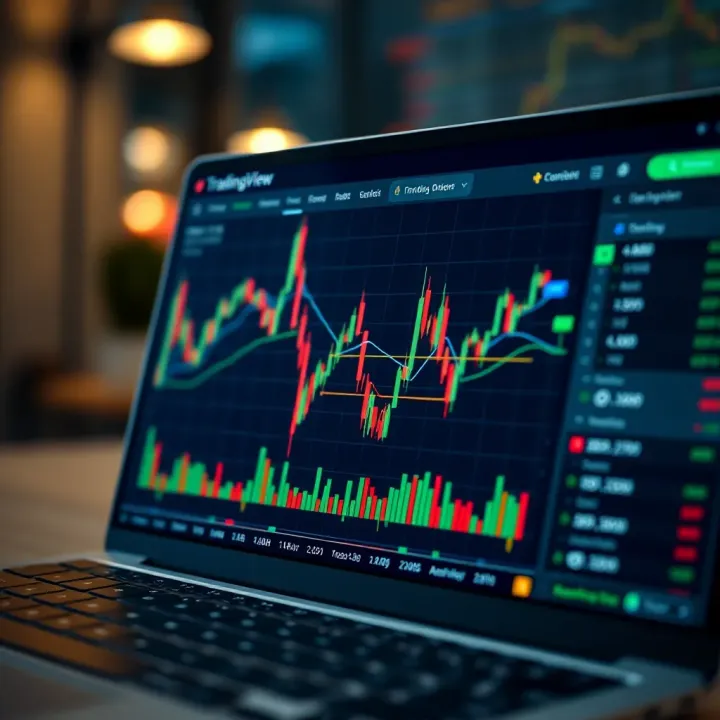
📊 Explore TradingView step-by-step: set up charts, apply technical analysis, customize alerts, connect brokers, and join the trader community to trade smarter.
Based on 6 reviews