
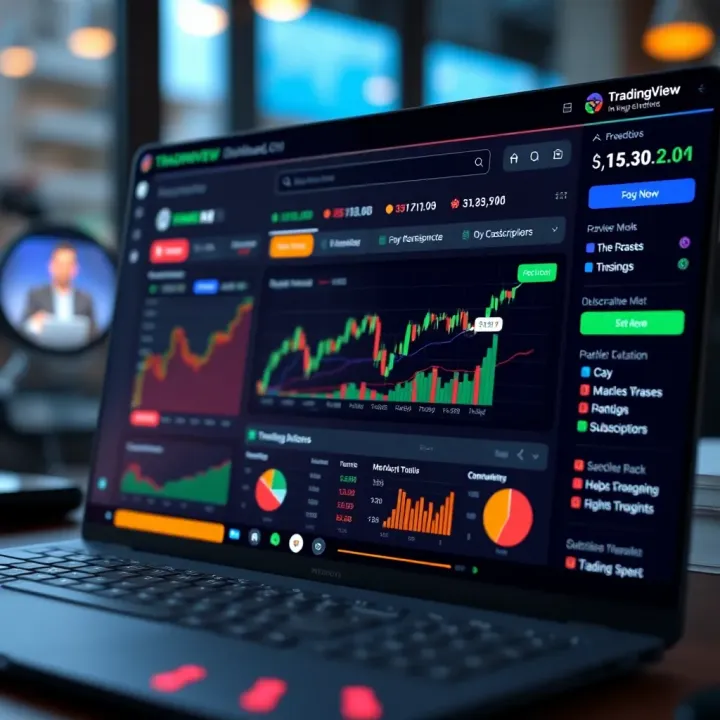
Using TradingView.com for Market Analysis in Pakistan
Discover how to use TradingView.com for in-depth market analysis in Pakistan📈. Learn about charts, indicators, market news📰, strategies, and community features.
Edited By
Michael Scott
In the fast-moving world of finance, having the right tools for market analysis can be the difference between a profitable trade and a lost opportunity. TradingView has become a favorite among traders, analysts, and investors for its comprehensive charting capabilities and user-friendly interface. But knowing what TradingView offers is only half the battle; implementing it correctly into your platform can really up your analysis game.
This article walks you through the practical steps of integrating TradingView’s charts and widgets, highlighting key features that genuinely help with market analysis. Whether you’re a trader looking to set up custom indicators or a developer wanting to embed TradingView into your financial site, the tips shared here aim to save you time and hassle.

Getting TradingView up and running isn’t just about coding—it’s about understanding what insights you want and how to best display them.
We'll cover everything from the basics of setup, customizing charts to suit your style, technical requirements, to real-world examples of how these tools can be used for smarter trading decisions. The goal is to provide clear, actionable advice—no fluff, just what you need to get started and use TradingView effectively.
So, if you’re curious about incorporating high-quality market analysis tools into your workflow or platform, keep reading. The walkthrough ahead is tailored to help professionals in Pakistan and beyond make the most of TradingView’s potential.
Integrating TradingView into your platform isn’t just a neat extra—it’s a game-changer for those wanting sharp market insight. Its interactive charts and dynamic tools give traders and developers the power to analyze market trends right where they work. Think of it as adding a turbo boost to your financial platform.
With TradingView integration, users get real-time data visualizations without hopping around different apps. For example, a broker website in Karachi can embed TradingView charts, letting clients watch stock movements live while placing trades. This reduces latency and keeps users glued to the platform.
Understanding this introduction lays the groundwork for making informed decisions about which TradingView features best fit your needs. Ready to see what TradingView actually brings to the table? Let’s dive deeper.
TradingView is a web-based charting and social networking tool tailored for market analysis. It offers a variety of charts—like candlesticks, bars, and line charts—equipped with technical indicators such as Moving Averages, Bollinger Bands, and RSI. What sets it apart is its Pine Script language, enabling users to create custom indicators or alerts.
For example, a trader in Lahore might customize a Pine Script to alert when Pakistan Stock Exchange volumes spike unusually at midday. The platform also allows sharing ideas within a community, helping beginners learn from seasoned pros.
For traders, TradingView offers an easy way to track multiple markets—be it forex, commodities, or cryptocurrencies—with real-time updates. It removes guesswork, helping spot patterns quickly.
Developers appreciate TradingView because it’s flexible. Embedding charts or integrating widgets can be done with minimal coding. Plus, API access allows pulling market data directly into custom tools. Imagine a startup building a trading app in Islamabad accessing TradingView’s API to get live market feeds without maintaining their own data servers. This not only saves time but lowers costs too.
Embedding charts is the simplest way to bring TradingView visuals to your website. Typically, this uses an iframe tag containing TradingView’s hosted chart. This method is fast and requires almost no maintenance.
A local investment blog, for instance, could embed live charts showing the KSE-100 Index alongside their articles, providing readers a real-time snapshot without leaving the page.
Widgets are pre-built mini apps TradingView offers, like mini charts or market tickers, that can be customized and dropped into your site. These give users quick insights without the heavy interface of full charts.
For example, a financial news site might add a widget displaying top gainers and losers on the Pakistan Stock Exchange, updated minute-by-minute.
TradingView’s API opens up advanced possibilities by granting back-end systems direct access to data feeds and chart configuration.
Take a broker’s mobile app that uses API feeds to update their clients’ dashboards instantly or generate automated trading signals based on customized criteria. API integration demands more technical know-how but offers the greatest customization and control.
Integrating TradingView isn’t one-size-fits-all. Knowing the available options—like embedding charts, widgets, or APIs—helps you pick the right fit for your platform’s goals and user expectations.
Next, we’ll explore how to set up the tools needed to get TradingView working seamlessly with your development environment.
Before diving headfirst into embedding charts and widgets, it's essential to lay the groundwork properly. Preparing for TradingView implementation isn't just about ticking boxes—it ensures a smoother integration process that saves time and frustration later. From registering an account to setting up your development tools, each step prepares you for a hassle-free experience.
First off, having a TradingView account is non-negotiable. Think of this as your passport to access their API and widgets. Without an account, you can't generate API keys or customize your integration credentials. If you're working in a team, make sure to set up an account with relevant permissions so everyone involved has the right level of access.
For example, say you want to embed live forex charts on a trading education platform in Lahore—you'll need an account to get the necessary API access to pull accurate data and maintain real-time updates. Skipping this step slows everything down.
API keys act like the secret handshake between your app and TradingView’s services. These keys authenticate your requests and keep unauthorized intrusions at bay. When you register your application on TradingView, you’ll receive these keys, which you must safeguard vigorously.
Practical tip: Store your API keys in environment variables or secure vaults instead of hardcoding them. This approach guards against accidental leaks, especially if your project ends up on public version control platforms like GitHub.
Before you start coding, make sure to check whether TradingView’s tools play well with your existing tech stack. Compatibility doesn’t only concern programming language support but includes browser support, mobile responsiveness, and backend infrastructure.
An example could be a financial news site accessed mainly on mobile devices; TradingView charts need to display correctly across screen sizes and load quickly despite potential bandwidth issues. Be aware of TradingView’s supported browsers and version requirements, adjusting your environment or informing users accordingly.
TradingView primarily interacts through JavaScript, especially for front-end embedding using iframes, widgets, or their JavaScript API. Knowing JavaScript well, alongside frameworks like React or Vue.js, can accelerate development and customization.
On the backend, languages like Python, Java, or Node.js can be used for API interactions and data processing. So, if you’re building a custom analytics platform or integrating TradingView with a brokerage system in Karachi, be prepared to juggle client-side JavaScript with backend code that'll handle fetching and managing real-time data feeds.
To streamline working with TradingView, certain libraries and frameworks come in handy. For instance, React TradingView Widget is a popular npm package that makes embedding charts in React apps a breeze. You might also use Axios or Fetch API to handle data requests securely.
Additionally, if you plan to create custom indicators or scripts, get familiar with Pine Script, TradingView's own language. And don’t forget utility libraries like Moment.js for managing timestamps when working with time series market data.
Setting up your development environment isn’t merely about installing tools; it's about crafting a workspace tuned for efficient, secure, and reliable TradingView integration.
Taking the time to prepare properly makes a visible difference. When you have the right accounts, protected API keys, compatible tech, and tools in place, implementing TradingView’s powerful charts and widgets becomes more of a smooth ride than a bumpy road.
Embedding TradingView charts is an essential step if you want to bring dynamic market analysis right onto your platform. This approach allows traders and financial analysts to view interactive charts directly, without flipping between multiple tabs or apps. For businesses, embedding charts can simplify user experience and keep visitors engaged. For example, a brokerage website in Karachi might embed live Forex charts so clients can track market movements as they place orders.
There are practical benefits beyond ease of access. Embedded charts update in real time, so users get fresh data instantly. Plus, these charts offer comprehensive tools such as drawing features and technical indicators right within the page. However, embedding charts requires balancing functionality with performance and loading speed. If a chart takes too long to load or clogs the page, users might bounce off.
Using an iframe is the fastest way to embed a TradingView chart on a site. It's as easy as copying a snippet of code TradingView generates and pasting it into your HTML. This method doesn't require heavy programming knowledge, making it ideal for smaller platforms or those pressed for time. For example, a financial blog explaining stock trends can quickly add an interactive chart using an iframe, making their content more engaging.
Key characteristics of iframe embedding include limited customization—you're mostly dealing with TradingView's default interface—but this simplicity is great if you want a hassle-free setup. The embedded chart will automatically inherit its data feeds and update itself, leaving you to focus on other parts of your platform.
Once the iframe is in place, setting the right size and appearance matter. Charts should fit nicely into your layout without overwhelming other content or becoming too cramped. TradingView’s iframe allows you to specify width and height directly in the embed code.
For instance, if your platform is viewed primarily on mobile devices, consider using a width of 100% to ensure the chart stretches across the screen seamlessly. On desktops, you might fix dimensions like 800x600 pixels for a well-proportioned view. Appearance tweaks, such as background color or default timeframe, also help make the chart look like a natural part of your site rather than an out-of-place widget.
Going beyond basic embedding, you can customize charts with TradingView’s advanced options to better suit your platform’s needs. You might activate or hide certain toolbar buttons, control which indicators are visible by default, or lock the chart to prevent users from making permanent changes.
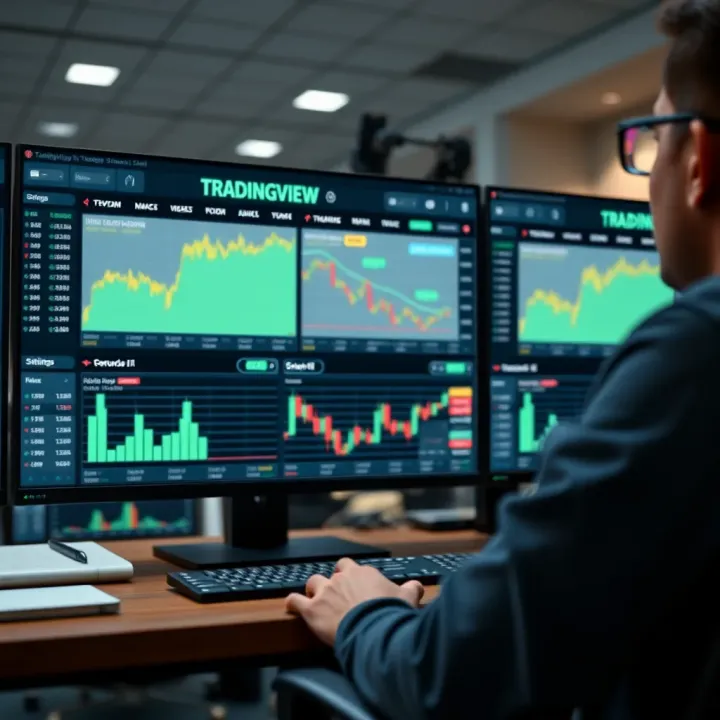
For example, a teaching portal for day traders might preset a few popular indicators like RSI and MACD to help users focus on technical analysis without drowning in options. Customization like this improves user experience by tailoring the chart tools to specific goals, making analysis more intuitive.
Displaying multiple charts simultaneously is common in professional analysis, where comparing different assets side by side is crucial. Handling more than one chart on a single webpage requires careful resource management to avoid slowing down the site.
Each chart embedded via iframe is a separate load, so it’s best to optimize by loading charts only when visible or necessary. For instance, Pakistani equity trading platforms might show separate charts for KSE-100 index, oil futures, and US dollar exchange rates on the same dashboard.
Organize charts logically and consider lazy loading techniques to improve page speed. Also, manage iframe sizes and avoid unnecessary duplication of data feeds to keep things smooth.
Embedding multiple, customized TradingView charts enhances analytical capabilities, but balancing responsiveness and rich features is key to maintaining a solid user experience.
By mastering chart embedding—from quick iframe setups to advanced feature tweaks—you can deliver rich interactive market tools tailored for traders and analysts in Pakistan and beyond.
TradingView widgets offer a practical way for traders and developers to present market data without reinventing the wheel. Instead of building complex chart systems from scratch, leveraging widgets gives you ready-to-use components that can be embedded easily on websites or apps. This not only speeds up development but also ensures your users get reliable, real-time market insights backed by TradingView's solid infrastructure. For anyone serious about market analysis, understanding how to work with these widgets is a game-changer.
Mini charts are compact, simplified charts designed for quick overviews rather than deep dives. Think of them as the "snapshot" feature for market trends, which keeps your pages light and responsive. These are perfect if you want to display quick price movements of multiple assets without overwhelming the layout — for example, a mini chart beside stock names on a trading dashboard or news site. They usually come with basic features like candlestick views or line charts and are geared towards showing short-term trends.
The Market Overview widget bundles a variety of data into one panel, showing what's moving in the markets at a glance. It typically highlights indices, sectors, commodities, and forex pairs, providing a bird’s-eye view of overall market health. For platforms targeting Pakistani traders, including the KSE-100 index or relevant currency pairs here can keep users in the loop without hopping between different sources. This widget is valuable because it provides broad context — essential before zeroing in on specific stocks or assets.
Symbol Info widgets focus on detailed data about a single asset. They display essential stats like current price, bid/ask, volume, and percentage changes. This widget is your go-to for pinpointing the performance and status of a particular stock or commodity. For example, a stockbroker website might have Symbol Info widgets for frequently traded stocks like Pakistan Oilfields or Lucky Cement prominently displayed. These widgets provide quick, actionable updates for traders ready to make decisions.
Customizing the look of your widgets helps maintain brand consistency and improves user experience. TradingView widgets allow tweaking colors, fonts, and other stylistic elements. For instance, switching a widget to a darker theme can reduce eye strain for users checking charts late at night — something many Pakistani traders doing after market hours might appreciate. You can also match widget colors to your site’s palette, keeping the interface polished and professional.
Setting default symbols and time intervals is crucial for guiding users directly to the most relevant data. Say your audience mostly trades in the Pakistan Stock Exchange; you’d want your widgets to load symbols like PSX Index by default. Similarly, setting the chart interval to daily or hourly bars upfront saves users the hassle of adjusting every time. This small step boosts usability and ensures visitors immediately see the info that matters most.
Widgets make market data accessible and flexible — lowering the barrier for platforms that want to provide quality charting without heavy development overhead. Getting the types right and customizing them for your audience can turn casual visitors into informed traders.
By understanding and implementing TradingView widgets smartly, you deliver market insights that are both intuitive and tailored to your users' needs, enhancing their trading experience substantially.
Integrating the TradingView API into your platform opens up a world of possibilities for market analysis. This API acts as the bridge between your backend systems and TradingView's powerful charting tools, letting you customize data presentation and enhance user experience. For traders and developers in Pakistan's financial scene, understanding how to tap into these capabilities is a must to offer real-time insights and tailored analytic tools.
The API is especially prized for two critical features: fetching real-time data and chart customization.
Fetching real-time data is the heart of any trading platform. Imagine you’re monitoring the Karachi Stock Exchange indices and want those numbers updated on the fly—this is where the API shines. It keeps your charts synchronized with the markets, reducing lag and ensuring users make decisions based on the freshest data. Setting up a websocket connection through the API lets you pull these live price feeds, helping avoid costly delays during volatile market moments.
Chart customization via API is another game-changer. Instead of offering generic charts, you can tailor everything from indicators to color schemes using the API’s parameters. For instance, if your platform's users prefer to analyze the forex market with custom moving averages or RSI levels specific to Pakistani Rupee pairs, the API lets you embed these directly. It’s like giving every trader their own personal charting assistant.
Handling market data updates requires a reliable approach to avoid freezes or data mismatches during critical trading times. The API allows you to subscribe to specific data streams — for example, selecting only the equities and commodities relevant to your audience. It manages the constant inflow efficiently, pushing updates only when prices change, which keeps bandwidth use smart and saves costs.
Integrating with backend systems is where the tech rubber meets the road. By funneling TradingView API data into your own databases and servers, you can align charting data with your proprietary analytics or trading algorithms. Say you run a brokerage service in Lahore; syncing the API feed with your order management system means users see perfectly matched info when placing trades—no guesswork, no double-checking.
Properly utilizing the TradingView API not only enriches user experience but also enhances platform reliability and speed. It’s about giving your trading community tools that feel faster and smarter.
In short, the TradingView API acts as a key enabler for anyone wanting to deliver advanced, real-time charting solutions with a personal touch. Whether it’s pulling live KSE data or customizing charts for niche markets like agricultural commodities in Pakistan, mastering the API elevates your platform to a new level of professionalism and trustworthiness.
Customizing appearance and functionality plays a big role in making TradingView charts and tools fit seamlessly into your platform. It’s not just about making things look pretty; it’s about improving usability and tailoring the experience to your users’ needs. For traders and analysts in Pakistan, who might be juggling multiple devices and varying internet speeds, being able to adapt how charts look and work can make the difference between catching a market move or missing out.
Consider this – a one-size-fits-all chart can be too rigid. Customization lets you balance visual clarity and performance, ensuring charts load quickly but still provide all crucial info. It also allows personalization, which keeps traders engaged.
Offering light and dark modes is a straightforward but effective way to boost chart usability. In bright daylight or well-lit offices common in Pakistan’s urban centers, a light theme with dark text can be easier on the eyes. But come evening or during long trading sessions, a dark mode reduces glare and eye strain.
TradingView supports quick toggling between the two. Implementing this can be as simple as switching some CSS classes or triggering TradingView’s own theme options. The key is giving users control without overwhelming them with too many buttons.
This adaptability also helps traders who dive into overnight markets like Forex or cryptocurrencies, where dark mode is often preferred. Besides comfort, a well-implemented theme switch can subtly elevate the overall user experience, making your platform stand out.
Responsive design ensures TradingView charts and widgets look and function well on any device – desktop monitors, tablets, or smartphones. This is super relevant for Pakistan’s trading community, where many rely on mobiles or tablets to check markets while commuting or between errands.
TradingView’s tools come with responsive settings, but you still need to adjust container sizes and layout behavior on your platform. Employing flexible grid systems or CSS media queries can prevent awkward scrolling or hidden chart parts, making navigation intuitive.
Besides visual fit, responsiveness impacts load speed and interactivity; a chart that’s squished on a small phone screen can be frustrating. Testing across devices and tuning breakpoints carefully ensures the layout shifts naturally and keeps essential data front and center.
One of TradingView’s standout features is Pine Script, its scripting language for creating custom indicators and strategies. For traders looking to mimic local market behavior or specific trading styles used in Pakistan’s stock or commodities markets, Pine Script offers flexibility beyond standard indicators.
You can write your own formulas to spot unique patterns, combine indicators, or build alerts tailored to your strategy. For example, a trader might code an indicator that tracks sugarcane futures price movements using volumes and volatility specific to Pakistani exchanges.
Implementing Pine Script on your platform involves allowing users to add these scripts to their charts or providing a library of tested custom indicators. Keep in mind that scripts should be optimized for performance to avoid slowing down charts, especially when many are stacked.
Beyond built-in features, integrating third-party tools can extend TradingView’s capabilities considerably. This might include connecting with external news feeds, sentiment analysis platforms, or portfolio tracking apps popular in your region.
For instance, linking local financial news sources or economic calendars for Pakistan can give traders event-driven insights right alongside price charts. Many third-party tools come with APIs or widgets that can be embedded or layered without much hassle.
Make sure that these tools match your platform’s security and performance standards. Misaligned third-party integrations can cause lag or even data conflicts, which frustrate users more than help.
Customization isn’t just a decoration—it’s about fitting the tool to real-world needs of your users like speed, clarity, and relevance. Taking time to tailor appearance and functionality can significantly improve how traders analyze and act on market data.
By following these customization tips, you ensure TradingView becomes not just a charting tool on your site but a core part of effective market analysis tailored for your audience’s everyday use.
When integrating TradingView charts and widgets into your trading platform, encountering issues is almost inevitable. Troubleshooting common problems is vital because it saves time and ensures a smooth user experience, especially when market analysis relies heavily on visual and data accuracy. Understanding how to quickly identify and fix errors prevents downtime, which can be costly for traders and analysts who depend on real-time information.
Display glitches or loading failures often stem from simple issues like incorrect iframe settings, outdated API keys, or conflicts with other scripts on the webpage. For example, if a chart fails to load and sticks at a blank screen, it's usually because the API key restricted access or the symbol name used isn’t recognized by TradingView. In such cases, double-checking the symbol identifiers and ensuring that your API subscription is active can resolve the issue quickly. Another typical problem is mixed content warnings in browsers, especially if the webpage is served over HTTPS but the TradingView chart is loaded via HTTP.
To fix this, always load charts and resources over HTTPS. Also, clear your browser cache regularly – sometimes cached scripts can block updates. When setting up multiple charts, avoid using duplicate IDs or conflicting configurations which could cause overlapping or non-responsive charts.
TradingView supports most modern browsers like Chrome, Firefox, Edge, and Safari, but differences in JavaScript engines can cause subtle display or performance issues. For instance, a widget might work perfectly on Chrome but misalign or fail on older versions of Internet Explorer, which still lingers in some offices.
To ensure compatibility, test your implementation on multiple browsers and versions. Utilizing developer tools to check console errors helps identify browser-specific quirks. Moreover, always update TradingView scripts to the latest version since they include fixes for newer browser versions. Avoid heavy reliance on browser-specific features without fallback options – graceful degradation ensures your charts stay functional even if some effects aren’t fully supported.
Heavy or multiple TradingView charts can slow down your platform, particularly if visitors use lower-end devices or have limited bandwidth. Optimizing resource usage involves lazy loading charts only when visible or requested by the user rather than loading everything at once.
Compressing images and limiting unnecessary animations also improves performance. Consider restricting the number of active widgets per page; for example, instead of five live market overviews, show two with an option to expand. Employ browser caching and minimize calls to the TradingView API by reusing data where possible, reducing the number of requests per session.
Low latency is critical in market analysis where seconds can mean gains or losses. Latency can arise from slow network responses, heavy scripts, or inefficient data handling. To cut down on delays, use efficient event listeners that update charts only when new data arrives, rather than constant polling.
Deploy your application close to TradingView's servers or use a CDN service to speed up resource delivery. Additionally, limit your data feed subscriptions to only necessary symbols and intervals to reduce the volume and improve update response. Remember, faster doesn't just mean better user experience—it can also keep trades timely and profitable.
Quick tip: Regularly monitor your integrated charts and widgets’ loading times and resource consumption using browser developer tools or specialized performance testing software. Catching bottlenecks early makes troubleshooting much less of a hassle.
By proactively addressing these common issues and keeping an eye on performance, you’ll maintain a reliable and efficient TradingView integration that traders and analysts can count on day in and day out.
Integrating TradingView into your platform isn’t just about slapping a chart up on the page; it’s about creating a smooth, effective, and safe experience for users. Doing it right means not only making the charts work but also ensuring they’re easy to use, responsive, and secure. This section dives into the best practices you should keep in mind to get the most out of TradingView, whether it's for a trading site, financial blog, or educational platform.
Simplicity is the backbone of a good interface. When users first see a complex chart, it can easily overwhelm them — especially if they’re new to trading or market analysis. To simplify the interface, focus on clean layouts, limited buttons, and straightforward navigation. For example, instead of crowding the chart area with every possible indicator, offer a quick toggle menu for essential tools and keep advanced features tucked away for power users.
In practice, this could mean defaulting to popular, easy-to-read chart types like candlesticks and providing tooltips or labels that explain terms like "volume" or "moving average". Plus, remember: make your charts mobile-friendly. Many users might access your platform on phones or tablets in Pakistan’s growing mobile internet space, so responsive design is non-negotiable.
Even the best charts can confuse users without a bit of guidance. Offering support isn’t just about having an FAQ page; it means integrating help directly where users need it. For example, including brief, contextual hints or video tutorials on how to read charts and use various indicators can reduce frustration and build confidence.
Consider having a support chat or community forum where users can ask questions. If your platform hosts webinars or live sessions teaching TradingView basics, it creates added value and loyalty.
Clear user guidance can turn novices into regulars and reduce bounce rates significantly—don’t underestimate its power.
API keys are the gateway to your TradingView data. If these get exposed, unauthorized users could misuse them, leading to unwanted costs or data breaches. Always store your API keys securely — never hard-code them into your frontend code or expose them in public repositories. Instead, keep them server-side and access them via secure backend calls.
Use environment variables and configuration management tools to manage keys safely, and rotate keys regularly to minimize risk. For instance, if you detect unusual activity or leaks, immediate key regeneration is a must. In Pakistan’s rapidly digitizing financial world, data breaches are a real concern and protecting API keys is your first line of defense.
Handling user and market data responsibly is critical. Many countries, including Pakistan, are strengthening data protection laws. Complying with these rules not only protects your users but also protects your platform from legal troubles.
Ensure you collect only necessary user data and inform users how their data will be used. Feature data encryption during transmission—SSL should be standard for any platform. Be clear on cookie policies and data retention.
When integrating TradingView, always confirm that third-party data handling aligns with your privacy policies. If possible, offer users options to control their data sharing preferences.
Maintaining security and privacy isn’t a one-time checklist; it's an ongoing process that builds trust and credibility with your users.
Following these best practices in user experience and security can substantially improve how traders and analysts engage with your platform. Keep things simple but powerful, guide users every step, and never slack on protecting sensitive information. This approach will make your TradingView integration not only effective but also reliable and user-centered.
TradingView's tools have found a strong foothold in Pakistan's financial market, thanks to their ability to provide detailed, real-time analysis. For traders and developers in Pakistan, integrating TradingView means accessing rich market data and powerful charting tools that are otherwise hard to find locally. Whether it's through broker websites or trading academies, the platform enables enhanced decision-making and learning.
Many Pakistani brokerages incorporate TradingView charts directly on their platforms to offer clients an intuitive interface for market tracking and trading decisions. This makes it straightforward for users to follow price movements without leaving the brokerage site. One practical example is AKD Securities, which uses embedded TradingView charts to help traders visualize stock trends and compare market currents easily. This direct access boosts user engagement and provides a competitive edge by simplifying complex data into digestible visuals.
Trading academies in Pakistan, such as Pakistan Institute of Market and Economy, use TradingView to enhance educational sessions by showing live charts and conducting practical technical analysis workshops. This real-time approach allows learners to see concepts like support and resistance or candlestick patterns in action, not just in theory. By integrating TradingView, academies ensure students get hands-on experience with industry-leading tools before entering the market.
Pakistan’s growing tech scene is ripe for all sorts of custom financial applications. Developers can use TradingView's API to build tailored apps that cater to local market needs—like apps that focus on the Pakistan Stock Exchange or PKR forex pairs. For instance, a developer might create a mobile app that sends push notifications based on specific TradingView alerts, giving Pakistani traders a cutting edge. These custom solutions fill gaps not covered by bigger global platforms and resonate more closely with user demands.
For traders, employing TradingView means more than just nice charts—it's about crafting smarter, data-driven strategies. Many local traders integrate TradingView’s indicators and drawing tools to devise strategies tuned to volatile markets like the Karachi Stock Exchange. They might combine TradingView’s RSI indicators or moving averages with news feeds for a more rounded perspective. This hands-on application of TradingView enhances decision-making accuracy and can improve overall trading performance in Pakistan's unique market environment.
In summary, TradingView’s implementation in Pakistan isn’t just technical add-on, but a critical asset that democratizes access to sophisticated analysis and empowers local traders and developers alike in very practical ways.
Wrapping up is just as important as getting started, especially when implementing TradingView for market analysis. This final section pulls together everything we’ve covered and sets the stage for what’s next on your trading or development path. It’s not just about finishing—it’s about making sure you’ve got the tools and knowledge to keep moving forward confidently. For instance, if you’re working on a brokerage platform in Karachi or Lahore, knowing the right next steps can mean faster updates, better user experience, and spotting local market trends more efficiently.
First, understanding the basics of embedding TradingView charts and widgets is essential. This includes setting up your API keys, choosing between simple iframe embeds or advanced API customization, and ensuring your development environment is ready. Each of these steps builds a foundation for a smooth setup. For example, beginning with iframe embedding helps developers see results fast before diving into API nuances. These steps are practical and help traders and analysts get quick access to interactive charts with real-time data.
One of the great things about TradingView is how customizable it is. From switching between light and dark themes to adding custom indicators using Pine Script, there’s a lot you can tweak to fit specific needs. Imagine a financial education app that displays market overview widgets tailored to popular stocks in the Pakistani market like Pakistan Petroleum Ltd. or Engro Corporation—such customization adds massive value for users. Custom indicators can also give traders an edge, tracking unique market behaviors or signals.
TradingView’s official documentation is a must-visit resource. It covers everything, from basic embed code to the intricacies of their API. It's regularly updated, which means you get the freshest info straight from the source. Developers can find sample codes, API specifications, and troubleshooting tips which save time. Whether you want to integrate a mini chart or create your own custom scripts, the documentation guides you step-by-step.
Don’t overlook the power of community. Forums like the TradingView community board and external sites such as Stack Overflow offer real-world insights and practical advice. Tutorials made by fellow traders and developers can offer unique angles and hacks that official resources sometimes miss. Pakistani traders often share tips specific to local market conditions, which can be invaluable. Engaging with these communities can also help keep you updated on new features and best practices.
Staying curious and using resources wisely will help you get the most out of TradingView’s tools, whether you're a seasoned analyst or just starting with market data visualization.
By putting these conclusions and next steps into action, you’re better positioned to make informed decisions, customize your analysis tools effectively, and stay ahead in Pakistan’s dynamic financial markets.
Discover how to use TradingView.com for in-depth market analysis in Pakistan📈. Learn about charts, indicators, market news📰, strategies, and community features.
📈 Discover how TradingView live charts help traders in Pakistan analyze markets in real-time with key features, customization, and smart tips for better decisions.
📊 Master TradingView with this practical guide! Learn to customize charts, use real-time data, and sharpen your market analysis skills effectively.
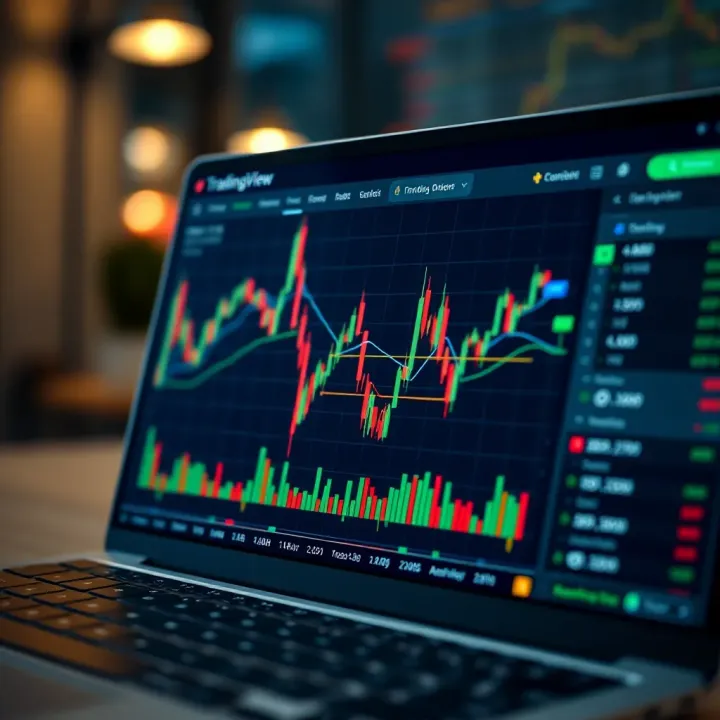
📊 Explore TradingView step-by-step: set up charts, apply technical analysis, customize alerts, connect brokers, and join the trader community to trade smarter.
Based on 11 reviews