

Using TradingView for Binary Options in Pakistan
📈 Explore TradingView's charting tools and market analysis for binary options in Pakistan. Learn strategies, risks, and tips to trade smarter!
Edited By
Sophie Bennett
Trading in financial markets demands more than just luck—it's about smart decisions backed by solid tools and clear insights. For traders in Pakistan wanting to up their game, merging the power of TradingView with Binary.com presents a practical way to make better, faster moves.
TradingView offers a rich environment filled with customizable charts, a variety of technical indicators, and a social community from which traders can learn and share ideas. On the other hand, Binary.com provides a straightforward platform for binary options trading, the kind often favored for its simplicity and potential for quick returns.

In this article, we'll break down how to use these two platforms side by side to make the most of their combined strengths. Whether you're evaluating price patterns on TradingView or placing trades on Binary.com, this guide is tailored to help you navigate the process without feeling overwhelmed.
We'll cover everything from linking your TradingView analysis to informed trade execution on Binary.com to handling typical hurdles Pakistani traders face, such as internet reliability and local regulatory considerations. Plus, we'll share practical safety tips to help protect your investments against common pitfalls.
"Understanding your tools is half the battle won. Combining charting and trading platforms efficiently can tip the scales in your favor."
By the end of this read, you’ll have a clearer picture of how to blend technical analysis with real-time trading actions, backed by examples and tips relevant to the Pakistani trading environment. Let's start by laying down the basics and why this combo matters for your trading journey.
Understanding the trading platforms available is the first step for any trader aiming to succeed, especially in a fast-paced market like binary options. This section lays the groundwork by exploring the strengths and functionalities of TradingView and Binary.com, two platforms that many Pakistani traders rely upon. Knowing what each platform offers helps in making smarter decisions and streamlines the entire trading process.
TradingView has carved out a name for itself as one of the most user-friendly and powerful charting platforms available. It's more than just charts; it’s a full toolkit designed to sharpen your analysis.
Charting tools: At the heart of TradingView’s appeal is its vast array of charting tools. With customizable candlestick charts, bar charts, and line charts, users can pinpoint trends and price movements with precision. Imagine tweaking timeframes from minutes to months and instantly spotting market turns. This flexibility is gold for binary options trading where timing can make or break a deal.
Technical indicators: TradingView offers hundreds of built-in technical indicators like RSI, MACD, and Bollinger Bands. These tools give traders a deeper insight into market momentum and potential reversals. For instance, utilizing RSI can help spot overbought or oversold conditions before placing a binary trade, giving you a crucial edge.
Community scripts and ideas: One standout aspect is TradingView’s vibrant community. Traders share custom scripts and trading ideas openly, which can be a treasure trove for those just starting or looking for fresh strategies. For example, a community-created indicator might combine moving averages with volume signals tailored for the volatile assets traded on Binary.com.
Binary.com is known for its simplicity and accessibility in the binary options space, making it a favorite among Pakistani traders.
Types of trades available: Binary.com doesn’t just offer simple up/down trades. Options include higher/lower, touch/no-touch, and range options, catering to different risk appetites and market views. This variety allows traders to select trades that sync with their market predictions from TradingView charts.
Binary options basics: Binary options are straightforward — you predict whether an asset's price will be above or below a certain level at expiry. The fixed payout and limited risk attract those who want clear outcomes upfront. Understanding this clarity helps in timing trades better when combined with TradingView’s real-time data.
Account types and deposits: Binary.com offers demo accounts for beginners to practice before going live, which is especially useful for Pakistani traders testing strategies without risking capital. Live accounts come with flexible deposit options including online bank transfers and e-wallets, making it accessible despite local banking quirks.
Getting to grips with both TradingView’s analysis tools and Binary.com’s trade mechanisms is like having a well-oiled machine instead of loose gears. Armed with this knowledge, traders in Pakistan can approach the markets with more confidence and clarity.
This overview sets the stage for integrating these platforms effectively, which we'll explore in the upcoming sections.
Navigating the waters of online trading in Pakistan can be tricky, especially when juggling different platforms like TradingView and Binary.com. Learning how to use them together can make a real difference for traders aiming to up their game. TradingView brings powerful charting and analysis tools, while Binary.com offers a practical space for executing binary options trades. Using them side-by-side lets you spot trading signals on TradingView and quickly act on them in Binary.com without missing out.
Getting started with TradingView is straightforward. You’ll sign up with an email address or social account. The free plan offers plenty for beginners—basic charts and a handful of indicators. But if you want more bells and whistles like multiple chart layouts, real-time data, or an extended library of indicators, the Pro and Pro+ plans are worth considering. For example, the Pro plan allows up to 5 indicators per chart, which is handy when you want to combine RSI, MACD, and Bollinger Bands for a thorough analysis.
The key here is to pick a plan that fits your trading style. Casual traders might stick with the free version, especially when starting, while active traders benefit from the upgraded features to spot trends and fine-tune their trade timing.
One neat feature that often gets overlooked is how you can customize your chart layouts on TradingView. It’s not just about picking colors or chart types; you can arrange multiple charts side by side, each showing different assets or timeframes. Say you trade forex with Binary.com—you might want EUR/USD on a 5-minute chart alongside USD/JPY on a 15-minute chart.
Setting up these layouts lets you monitor several markets efficiently. You can also save your layout so every time you log in, you’re ready to roll without reshuffling your workspace. Besides, customizing the tools like candlestick patterns or volume indicators to display in your preferred way makes quick decisions a breeze—something essential when binary options depend on tight timing.
TradingView’s charts can feel like a treasure trove, but interpreting them for binary options requires a slightly different approach. Since binary options typically involve predicting whether an asset’s price will go up or down within a short period, you’ll want to focus on clear, timely signals.
Look for key patterns such as moving average crossovers or RSI hitting overbought/oversold levels. For instance, if the 10-period moving average crosses above the 50-period moving average on TradingView, it might signal an upward price move, suggesting a 'call' option on Binary.com. Conversely, if the RSI is screaming oversold for a currency pair, that might hint at a 'put' option soon.
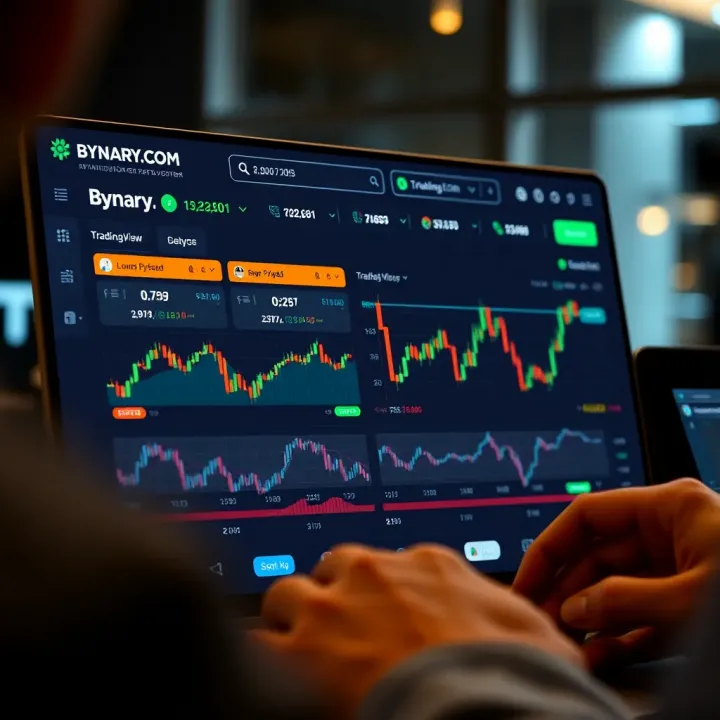
Understanding volume and volatility through TradingView indicators can help confirm these signals, avoiding guesses and making your Binary.com trades more informed.
Once you spot a valid signal on TradingView, the next step is deciding how and when to place your binary options trade on Binary.com. Timing here is everything—binary options often expire in minutes. One helpful tip is to set alerts within TradingView for specific indicator thresholds or price levels so you don’t miss the moment.
For example, when the MACD histogram flips from negative to positive, that could be your cue to enter a 'call' option quickly. But always weigh these signals with your own risk management rules. Don’t jump in blindly; check if the overall market trend supports your decision.
Remember, signals are guides, not guarantees. Using TradingView to confirm trends and patterns before making a trade on Binary.com reduces guesswork and stacks the odds in your favor.
In summary, setting up TradingView properly and linking your analysis to quick decisions on Binary.com can make trading less chaotic and more strategic. For Pakistan traders, this combo offers a practical way to navigate fast-moving markets confidently.
Blending TradingView's rich charting features with Binary.com's trading options creates a powerful combo for traders in Pakistan. Practical strategies aren't just theoretical—they're what separate casual dabblers from serious players. Using both platforms means you can tap into detailed technical data on TradingView while executing precise trades on Binary.com, leading to smarter decisions and potentially better returns.
Focusing on short-term trades, like those lasting just a few minutes or hours, requires quick and reliable signals. Traders often use indicators such as the Relative Strength Index (RSI), Moving Average Convergence Divergence (MACD), and Bollinger Bands. RSI helps spot overbought or oversold conditions, signaling when a price might reverse. MACD reveals momentum shifts that hint at trend changes. Bollinger Bands show volatility and price extremes, helping you judge entry and exit points.
For instance, if RSI dips below 30, signaling an oversold asset, you might prepare for a 'higher' binary option. Combining this with a narrowing Bollinger Band sees the price poised for a breakout, strengthening your call.
Relying on a single indicator can be risky since market moves often blur signals. Combining them adds layers of confirmation. For example, pairing RSI with MACD can filter out false alarms. When both indicate a momentum shift, your confidence grows in placing a trade. Similarly, mixing trend-following indicators like moving averages with oscillators like stochastic can help you spot sustaining trends versus short-term ripples.
This method cuts down the noise. Imagine TradingView shows RSI at 25 (oversold), but MACD hasn't crossed yet. Waiting for MACD confirmation prevents jumping into a trade too early. The trick is balancing complexity—too many indicators clutter charts and confuse decisions.
Timing is everything with binary options because your trade window is tight. TradingView helps by letting you visually scan candlestick patterns, support/resistance zones, and indicator crossovers. A common approach: enter a trade when price hits support with bullish signals like a hammer candlestick and RSI rising from oversold territory.
Exit points matter just as much to protect profits or limit losses. Since binary trading has fixed expiry, plan your exit around indicator signals or predefined timeframes. For example, if MACD histogram weakens, consider closing a higher or lower trade before expiry to avoid unexpected reversals.
Successful traders know managing risk keeps you afloat longer. With binary options, it's tempting to chase big wins, but sticking to firm limits is essential. Set a daily loss cap or decide to risk only a small portion of your trading budget per trade—say 2-3%. Never trade emotionally.
Use TradingView alerts to monitor important price levels or indicator crossovers so you don't miss signals. Diversify your trades across different assets to avoid putting all eggs in one basket. Lastly, track your trades and learn from both wins and losses to steadily refine your strategy.
Practical strategies combine careful analysis with disciplined risk control. Using TradingView with Binary.com gives Pakistani traders a solid edge—just remember, patience and consistency beat chasing quick gains every time.
Trading with TradingView alongside Binary.com in Pakistan offers a solid edge, but no setup comes without bumps in the road. Recognizing these common challenges—like data delays and platform limitations—is key to preventing your trading game from stalling. By dealing with these head-on, traders can avoid costly mistakes and stick to a smooth workflow.
One big snag often faced is the mismatch between the chart data you see in TradingView and Binary.com. Each platform sources its market data differently, so slight delays or differences in candle timings are common. For example, TradingView might show a candle close a few seconds earlier than Binary.com, leading to confusion when placing time-sensitive trades.
Understanding this can prevent you from jumping the gun on trades. Make a habit of comparing live prices on both platforms before committing money. If you notice consistent lag, try to refresh your charts regularly or check the data source within TradingView’s settings. Real-time feeds like those from BATS or CME tend to be more reliable.
Even when charts look good, reading signals correctly is another hurdle. A buy or sell signal from an indicator like RSI or MACD won't always translate neatly into a winning binary option trade. Traders must be careful not to chase every alert.
A practical tip here is to combine multiple indicators rather than relying on just one. For instance, pairing RSI oversold signals with trend confirmations on a moving average crossover can boost accuracy. Also, back-test your strategy with historical data on TradingView before going live. This way, you filter out false alarms and only act on signals with a higher chance of success.
Trust but verify: Don’t blindly follow signals without context; be ready to double-check and adjust based on how the market feels at that moment.
Binary.com is user-friendly but comes with certain restrictions, such as limited charting tools and customizability compared to TradingView. This can be frustrating when you spot interesting patterns on TradingView but can’t replicate the setup directly on Binary.com.
To get around this, treat Binary.com primarily as an execution platform. Use TradingView for in-depth analysis, and then manually place trades on Binary.com based on your findings. While automatic syncing isn’t supported natively, this method helps utilize both platforms at their strengths. Also, keep an eye on Binary.com’s updates because they occasionally add new features or tools.
Since Binary.com isn’t built to send alerts based on TradingView charts, many traders turn to the alert system in TradingView itself. Setting price alerts, indicator crossovers, or custom script alerts can notify you instantly when a trade setup appears.
Beyond that, third-party tools like AutoView or Zignaly can connect TradingView alerts to Binary.com orders automatically, but this requires a bit of tech savvy and carries security risks. Always test these setups on demo accounts first, and never share your private keys or passwords.
In short, combining alerts from TradingView with careful manual execution on Binary.com helps bridge the platforms’ gaps, saving you from missing quick trade windows.
Addressing these challenges upfront can pay dividends in confidence and consistency, especially for traders working in the fast-paced binary options market in Pakistan. A blend of patience, cross-checking data, and cleverly using alerts will keep your trading sharp and on point.
When trading on platforms like Binary.com using TradingView, managing your trades carefully is not just smart, it's essential. Keeping your funds safe and making calculated decisions will help you avoid costly mistakes and stay profitable in the long run. This section focuses on practical tips that anyone trading binary options, particularly in Pakistan's market, should keep in mind for safer and more effective trading. From risk control to staying updated with market news, these pointers aim to keep you on track and in control.
One of the golden rules for trading is knowing when to draw the line. Setting limits means deciding beforehand how much you're willing to lose on a trade and sticking to it. While binary options don't have traditional stop losses like other assets, you can set personal limits on your trading account or decide a fixed loss amount per day or per trade. For example, if you start with 50,000 PKR, decide not to risk more than 5% (2,500 PKR) in a single trade or in a day. This method helps you avoid digging a hole that's hard to climb out of. It also keeps your emotional decisions in check: without limits, it's easy to chase losses or bet recklessly.
Combining this with solid record-keeping helps you see where your real trouble spots are. Some traders even use alarms or reminders on their phones to close trades or pause after reaching loss thresholds. Remember, discipline with limits separates serious traders from gamblers.
Overtrading happens when traders execute too many trades in a short time, often to recover losses or because they feel they're "missing out". This rush can be like throwing darts blindfolded—chances of hitting the target drop sharply. In binary options, overtrading can exhaust your budget fast and increase exposure to market noise rather than real trends.
To dodge this trap, have a clear trading plan that includes the number of trades per day or week. For example, you might decide to make no more than five trades daily. Breaks also matter – stepping away after a few trades helps clear your mind and avoid impulsive decisions. Stick to setups your strategy calls for, and don’t trade just for the sake of action.
Overtrading is a money sink masquerading as opportunity, so restraint is your best friend.
TradingView offers integrated news feeds that pull in the latest financial headlines and updates. For traders in Pakistan, this means you get real-time info on currency flickers, geopolitical events, or central bank decisions that might affect trade outcomes. Instead of juggling multiple apps or websites, you can stay updated on one screen alongside your charts.
Make it a habit to glance at the news feed before entering trades. For example, if Pakistan's State Bank announces a surprise interest rate change or economic data that shifts the rupee’s direction, you’d want to adjust your trade choices accordingly. The convenience speeds up reaction time and keeps you from flying blind into volatile periods.
Economic events, from unemployment figures to foreign policy statements, can rock the markets suddenly. In binary options, where trades often last minutes to a few hours, even a quick news spike can erase planned profits—or can be an opportunity if timed well.
Take Pakistan’s inflation data release as an example: if inflation numbers come out higher than expected, the Pakistani rupee may weaken quickly, affecting currency pairs on Binary.com. If you’re aware and prepared, you might predict a short-term down move and place a put option accordingly.
Being in the know helps you avoid entering trades just before an announcement or instead position yourself to benefit from expected moves. It’s like having the weather forecast before planning a picnic—you adapt your plans, lowering the risk of getting drenched.
By carefully managing risk and staying informed, traders using TradingView with Binary.com can trade smarter and safer in Pakistan’s markets. These tips aren't just boxes to tick but habits to cultivate for more consistent and controlled trading results.
📈 Explore TradingView's charting tools and market analysis for binary options in Pakistan. Learn strategies, risks, and tips to trade smarter!

Discover how to use TradingView.com for in-depth market analysis in Pakistan📈. Learn about charts, indicators, market news📰, strategies, and community features.
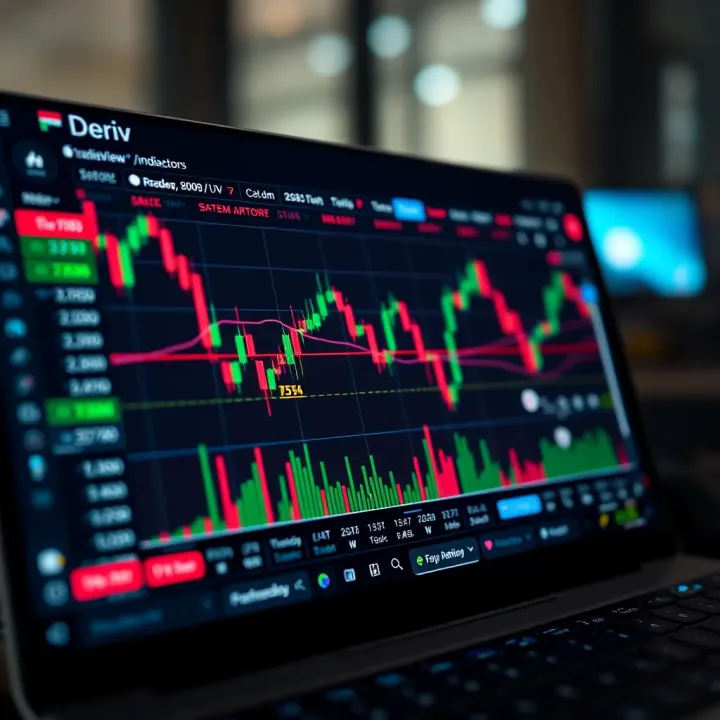
📈 Explore how to use TradingView with Deriv for smarter trading in Pakistan. Learn setup, charting tips, and expert tricks to improve your strategy today!

📈 Explore TradingView charts for stocks, forex, & crypto! Learn to customize tools, master technical indicators, and trade smarter with real insights.
Based on 10 reviews