
TradingView.com Guide for Pakistani Traders
Explore TradingView.com📊 for Pakistan traders! Get insights on charting tools, social features, subscription plans, and expert tips to boost your trading skills.
Edited By
Isabella Richards
TradingView has become a go-to tool for traders and investors around the world, especially in Pakistan where access to real-time data and effective charting tools can make a big difference. This platform offers more than just pretty charts—it gives users the ability to dissect market moves, spot trends, and make informed decisions in the heat of the moment.
In this article, we’ll break down how TradingView works, what features to focus on, and how to get the most out of it for smarter trading. Whether you're day trading stocks on the Pakistan Stock Exchange or analyzing global commodities, understanding TradingView’s capabilities can give you a leg up.
"The market doesn't wait, and neither should your tools."
We’ll cover everything from basic navigation and chart setups to more advanced functions like custom indicators and alerts. By the end, you’ll have a solid roadmap to approach TradingView as more than just a chart viewer but as a full-fledged trading companion.
So, if you’ve been wondering how to move beyond guesswork and technical jargon, this guide is tailored to bring clarity and confidence in your trading journey.
Getting a solid grip on TradingView is key for anyone serious about trading or investing, especially in markets like Pakistan where real-time information and analytical insight are game changers. This platform goes beyond the usual charts, serving as a hub where traders can visualize, discuss, and strategize market moves efficiently. Whether you’re new to the market or a seasoned analyst, understanding what TradingView offers sets the stage for smarter decisions.
TradingView stands out as a web-based platform that combines charting software with a social network for traders. Imagine it as your trading cockpit where you get access to live data, a wide variety of chart types, and tools to analyze stocks, forex, commodities, and cryptocurrencies all in one place. Its intuitive interface means you don’t have to be a tech wizard to start plotting trends or marking key support and resistance levels. For example, a Pakistani stock investor can track the Pakistan Stock Exchange with real-time candlestick charts and multi-timeframe views, all through their web browser or mobile app.
At its heart, TradingView targets traders and investors who want an interactive environment to analyze markets and share insights. Its audience spans casual investors, day traders, financial educators, and analysts looking for flexible, easy-to-customize charts and indicators. For instance, a commodities trader focusing on wheat futures can customize alerts and set up technical indicators specific to his strategy, enhancing timing without having to juggle multiple apps. This focus on accessibility and community-driven knowledge sharing helps users learn from each other, fostering a practical, hands-on learning experience.
TradingView was founded in 2011 by a group of traders and software developers who saw a gap between complex trading tools and user-friendly charting solutions. The idea was to combine high-powered technical analysis with social networking, something quite novel at that time. This mix was born out of their own frustrations—many platforms were either too clunky or lacked real-time data and community features. This background means the platform has always been designed with the trader’s practical needs in mind, rather than just as a tech showcase.
Fast forward to today, TradingView has become one of the go-to platforms globally, boasting millions of users including a growing base in Pakistan. Its popularity has surged thanks to constant updates, mobile access, and the ability to customize charts with Pine Script, allowing unique indicators and strategies. What also fuels its rise is the community aspect—traders regularly post ideas and analyses, making it a rich resource for everyone. For example, during volatile market events, traders from Lahore to Karachi often share setups and commentary live, benefiting the wider community with timely insights.
TradingView isn’t just about charts; it's about connecting traders with the tools and community they need to better navigate market ups and downs.
TradingView packs a punch with features tailor-made for traders and investors aiming to get a solid grip on market movements. These tools aren't just flashy extras; they’re the backbone for analyzing trends, testing strategies, and making informed decisions. Whether you’re a newbie or a seasoned trader, understanding these key features can save you a heap of time and help avoid costly mistakes.
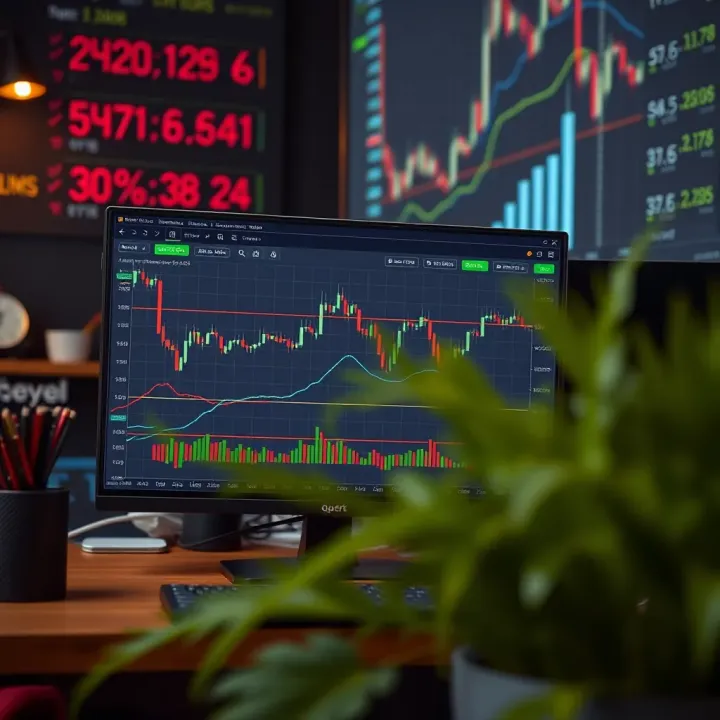
One of TradingView’s strongest suits is its variety of charts. Beyond the popular candlesticks, you’ll find bar charts, line charts, Heikin Ashi, Renko, point and figure, and more. Each serves a different purpose — for example, Renko charts simplify price movements by filtering out minor fluctuations, making it easier to spot trends. For a Pakistani trader keeping an eye on the Pakistan Stock Exchange, using candlesticks combined with volume bars often reveals clearer buying or selling pressure during market hours.
Having multiple chart types means you can pick the one that clicks best with your trading style. Day traders might lean towards time-based charts for quick decisions, while swing traders might prefer Heikin Ashi for smoother trend visualization.
TradingView doesn’t box you into preset views. You can tweak almost anything — colors, time frames, chart backgrounds, even the shape and size of candlesticks. This flexibility helps reduce eye strain during long analysis sessions and makes spotting key levels easier.
For example, if you prefer a dark background to ease the pressure on your eyes after hours of studying charts, you can customize that quickly. Or, if certain indicators clash visually, adjusting opacity or color changes can help keep your workspace tidy. You can also save these personalized layouts to jump back into your setup without losing time.
TradingView offers a treasure trove of built-in technical indicators — from the classics like Moving Averages, RSI (Relative Strength Index), MACD (Moving Average Convergence Divergence), to more niche ones such as Bollinger Bands or Fibonacci retracements. These tools help traders gauge momentum, volatility, and potential reversal points without needing to jump between different programs.
A practical example: If you’re monitoring the KSE 100 index, adding RSI can show if the asset is overbought or oversold, signaling potential entry or exit points. The best part is these indicators update in real-time, reflecting the latest market data.
This is where TradingView really stands apart. Using Pine Script, a relatively straightforward coding language, traders can create custom indicators tailored to their unique strategies. Whether you want to combine multiple signals into one indicator or develop a whole new technical tool, Pine Script provides that playground.
For instance, a trader frustrated with standard MACD might write a script that adjusts parameters more precisely for Pakistan’s market volatility. Sharing these scripts with the community or keeping them private adds further layers of utility.
TradingView isn’t just about solo analysis. Its social features let you broadcast your trade ideas and charts to a community hungry for insights. Sharing a chart annotated with your reasoning might spark discussions or even catch the eye of an expert who provides feedback.
This feature is especially valuable for traders in Pakistan, where social trading is picking up but still lacks many dedicated local forums. Posting your thoughts or analysis can connect you with like-minded investors and gather diverse perspectives.
"Sharing ideas isn’t just about teaching; it’s a shortcut to learning faster through community feedback."
Besides sharing your own takes, following experienced traders and participating in discussions exposes you to fresh viewpoints and strategies. TradingView’s feed allows you to see what others are watching, their commentary, and success patterns, which can inspire or sharpen your strategy.
Imagine following a seasoned analyst tracking global steel stocks that impact Pakistan’s industry — getting early hints through their updates could tip you off before the market moves. This peer engagement turns TradingView into more than a tool; it becomes a hub for practical market wisdom.
Getting started with TradingView is more than just signing up and opening a chart. It’s about setting up a workspace that suits your trading style, knowing where everything sits, and getting comfortable with essential tools right away. This section is crucial for anyone from the curious beginner to the seasoned pro testing new waters. Without a solid start, navigating the maze of financial charts and technical indicators can feel overwhelming.
Signing up on TradingView is pretty straightforward but it’s important to pay attention to details that can save trouble later on. When you register, you’ll be asked to create a username and password, plus you can link your email or social media accounts like Google or Facebook to speed things along. One practical tip: choose a username that's easy to remember and professional if you plan to engage actively with the community. After registration, your account gets you access to a free plan with decent features to start exploring.
Remember, there are paid tiers too, which unlock more indicators, chart layouts, and real-time data crucial for active traders in Pakistan's dynamic markets. But starting free lets you get a feel without the pressure.
Once logged in, the dashboard is your command center. The interface groups everything logically: your watchlists, chart windows, newsfeed, and social stream. It's designed to be intuitive—think of it as your desk where every tool has its place. Becoming familiar with the side panel (where you select financial instruments and tools) and the top bar (for saving layouts and toggling settings) pays off quickly.
Watchlists help you monitor multiple instruments like PSX stocks or USD/PKR forex pairs.
The chart window is where you spend most of your time customizing views.
The community feed shows trading ideas and analysis shared by peers.
Getting comfortable navigating here is the first step to making TradingView work for your specific needs.
Before diving into technical analysis, choosing the right financial instrument matters. TradingView covers everything from global stocks to cryptocurrencies, but for traders in Pakistan, focusing on PSX-listed companies or regional forex pairs provides relevant insights. Use the search bar on the dashboard to find your desired ticker; for example, type “OGDC” for Oil & Gas Development Company Limited shares.
Quick tip: create separate watchlists for different asset classes to avoid clutter—one for stocks, one for forex, one for commodities. This helps keep your focus sharp and saves time.
Once your chart is up, the next step is adding indicators to help spot trends and potential price movements. For beginners, start simple. Commonly used indicators like the Moving Average (MA) or Relative Strength Index (RSI) provide quick insight without too much noise.
To apply, click the indicators button (shaped like an f(x)) and type the name of the indicator. For instance, adding a 50-day MA to a PSX stock chart can highlight its medium-term trend direction.
Pro Tip: Avoid piling on too many indicators at once; it can confuse rather than clarify. Stick with two or three that complement each other—for instance, MA for trend and RSI for momentum.
Setting up your first chart is like laying the foundation of a house. Spend some extra time here so building your strategies on TradingView is smooth and reliable. Over time, as you get hands-on experience, tweaking and customizing charts becomes second nature, speeding up your decision making in volatile markets like Pakistan’s.
Market analysis is the backbone of any trading strategy, and TradingView makes this task more manageable for traders at all levels. By offering interactive charts and a range of analytical tools, the platform helps users understand market movements and make informed decisions. Whether you’re day trading in the forex market or investing in Pakistani equities, TradingView’s features support quick insight and detailed study alike.
Using TradingView for market analysis involves learning to read charts properly and applying technical indicators to anticipate price changes. These skills let you spot entry and exit points, recognize market sentiment, and reduce the risk of costly surprises. The platform’s flexibility also means you can tailor your analysis to different asset classes, from commodities to cryptocurrencies.
Candlestick charts are one of TradingView’s primary tools, favored for their clear depiction of price action over a set period. Each “candle” shows four important prices: open, close, high, and low. This layout helps traders quickly see whether buyers or sellers dominated a period, indicated by the candle’s color and shape.
For example, a green candlestick usually means prices closed higher than they opened, pointing to bullish sentiment, while a red candle signals the opposite. But it’s more than just colors. Patterns formed by multiple candlesticks, such as the “Doji” or “Hammer,” reveal possible trend reversals or continuations. Understanding these subtle clues is key to reading the chart effectively and avoiding knee-jerk decisions.
Spotting trends is about recognizing the general direction of the market—up, down, or sideways. TradingView’s charts make it easier to identify trends by allowing users to draw trendlines and channels right on the chart. These lines visualize support and resistance levels, showing where price frequently bounces or gets stuck.
A practical approach is to look at higher time frames first, like daily or weekly charts, to catch the bigger picture, then zoom into shorter frames to time trades. Trends often last longer than a trader expects, so riding a wave instead of jumping in and out blindly can increase profits. For instance, in Pakistan’s KSE 100 index, spotting an upward trend early can help you decide when to buy into steady growth.
TradingView offers a variety of built-in indicators that are beginner-friendly and widely used. Moving Averages (MA), Relative Strength Index (RSI), and MACD are some of the staples. The Moving Average smooths out price data, making it easier to see trends without the noise.
RSI helps identify overbought or oversold conditions, signaling when a stock or currency might reverse direction. MACD combines moving averages to show momentum shifts.
For example, a beginner trader examining Pakistan’s currency pair USD/PKR might use the RSI to spot when the pair is priced too high, hinting at a potential pullback.
No single indicator tells the whole story. Combining them can provide a clearer and more reliable analysis. On TradingView, you can layer indicators to confirm signals and reduce false alarms.
A common combo is using the Moving Average with RSI: the MA confirms the trend direction, while the RSI flags potential reversals within that trend. For instance, if the MA shows an uptrend, and the RSI drops into oversold territory, it might be a good time to buy.
It's important not to clutter the chart with too many indicators, though. Pick a few that complement each other and test how well they work with your strategy and the market you are trading in.
Remember: Tools can guide you but don’t replace your judgment. Always cross-check findings from TradingView with your market knowledge and current news for best outcomes.
For traders who have already mastered the basics, TradingView offers a suite of advanced features that can significantly improve market analysis and trading strategies. These tools are designed to move beyond simple chart reading, letting users customize their analysis, automate alerts, and even connect with their brokers for streamlined trading activities. If you're aiming to gain an edge, especially in fast-moving markets like Pakistan's, understanding these capabilities can make a real difference.
Pine Script is TradingView's proprietary scripting language, allowing traders to build custom indicators and strategies tailored to their unique needs. Unlike general programming languages, Pine Script is designed specifically for trading, making it accessible even to those without a coding background. For example, a trader frustrated by the limited pre-built indicators can write simple lines of code to create a bespoke RSI that reacts differently under certain volume conditions.
The beauty of Pine Script lies in its simplicity but powerful functionality. It supports various data types and built-in functions for technical analysis, so you can modify or enhance standard indicators, or devise entirely new methods for spotting trends and reversals.
Creating your own indicator starts with clearly identifying what you want it to measure or signal. Beginners might start with something straightforward, like a moving average crossover tailored to a specific timeframe or price action. For example, you might write a script that highlights when the 20-day moving average crosses above the 50-day with volume exceeding the 30-day average, giving a more filtered buy signal.
TradingView’s editor makes testing and debugging straightforward, with immediate feedback on your code’s performance on live charts. Once satisfied, you can save and apply your custom indicator across multiple charts. By creating your own tools, you’re not just relying on the crowd—you’re tailoring insights to fit your particular trading style and market conditions.
Alerts in TradingView are lifesavers for active traders who can’t stare at the screen all day. You can set alerts to notify you when a price crosses a certain threshold, an indicator hits a specific level, or even when a custom Pine Script condition is met. Imagine setting an alert for when the NIFTY 50 contracts hit a resistance level during volatile trading hours, so you don't miss a potential breakout.
Alerts can be customized to pop up on your phone, send an email, or even trigger webhook actions, thus integrating with other applications or trading bots. Being able to react instantly to market changes without constant monitoring saves time and reduces the chance of missing critical moves.
TradingView also offers integration with several brokers, allowing traders to place orders directly from the platform. This cuts down the hassle of switching between your charting software and broker terminal, streamlining your workflow. For instance, through supported brokers like Interactive Brokers or OANDA, you can execute trades while analyzing charts in real time.
This integration is especially useful for automated or semi-automated trading, where alerts can trigger orders under preset conditions. While fully automated trading requires careful risk management, this feature can boost efficiency for traders looking to respond faster than the manual order entry would allow.
Advanced features like Pine Script and broker integration turn TradingView from a charting tool into a functional trading hub, saving time and adding precision to your trades.
By exploring these advanced options, experienced traders in Pakistan can sharpen their strategies, automate recurring tasks, and stay ahead in rapidly changing markets.
When picking a charting and trading platform, it’s important to see how TradingView stacks up against others out there. This comparison isn't just about features but understanding what fits your trading style and needs best. TradingView shines with its mix of user-friendly tech and community contributions, but other platforms like MetaTrader 5 or NinjaTrader offer their own perks that some traders prefer.
TradingView’s interface is straightforward enough for beginners but still packed with powerful tools for pros. The clean layout means traders can jump right into chart analysis without hunting for options. Customizable workspaces let you arrange charts and tools in ways that match how you think — which is a serious time-saver. By contrast, platforms like MetaTrader can feel a bit dated and clunky, particularly for those not tech-savvy. So for many traders, TradingView lowers the barrier to entry and keeps things smooth, helping avoid frustration when time is money.
One major edge TradingView has is its vibrant community. Traders share strategies, trading ideas, and scripts in real-time, which is a goldmine for learning and inspiration. You don’t just get cold charts; you get access to crowdsourced insights from across the globe, which is especially helpful for new traders figuring out market patterns. On the flip side, this also means quality can vary, so it’s wise to apply your judgment rather than just copying blindly. Other platforms often lack these social features or make sharing cumbersome, so TradingView’s community feel keeps it fresh and interactive.
TradingView’s free tier offers a solid introduction but comes with some strings attached. You get limited chart layouts, fewer simultaneous indicators, and ads that sometimes clutter your workspace. Realistically, casual traders might find it enough for simple setups, but anything more complex quickly bumps against these limits. For example, you might want more than three indicators on a chart or multiple watchlists, which are locked behind paid plans.
Paid subscriptions on TradingView open up a lot more room to maneuver. You can overlay up to 25 indicators, access extended trading hours, and set multiple custom alerts—features that can improve the speed and accuracy of your decisions. They also remove ads and let you save chart layouts, which is helpful if you switch between different markets regularly. Premium plans include access to more real-time market data, which is gold for day traders who can’t wait for delayed info. While the pricing varies, investing in a Pro or Pro+ account often pays off by saving time and boosting analysis depth.
Comparing TradingView with other platforms helps you pick the right tool, making your trading journey smoother and more effective. Always match features with your goals — a shiny platform is no good if it messes up your workflow.
Getting the most out of TradingView means moving beyond just looking at charts. Whether you're a seasoned trader or just dipping your toes in, some practical tips can save you time and sharpen your trading edge. Think of TradingView like a toolbox: it’s not just what tools you have, but how you arrange and use them that counts.
Trading across various markets, like stocks, forex, or commodities, can quickly become a juggling act. TradingView lets you create separate watchlists for each market type or region—say, one for the Pakistan Stock Exchange and another for FX pairs like USD/PKR. This division keeps you from mixing apples with oranges and helps focus your analysis where it really matters. For instance, you can track all your energy sector stocks in one list and tech stocks in another, so you don't need to scroll endlessly or miss out on important moves.
Setting up your charts just the way you like them is not a one-time job. TradingView's ability to save layouts means you can create different screen setups for various trading styles or strategies. Maybe you want a layout with multiple charts to monitor intraday trades and another for long-term positions that focus on weekly trends. Saving these custom arrangements means you're always a click away from the right setup instead of building it all over again each time. It’s like having your favorite workbench ready in a snap.
No trader is an island. TradingView's community groups offer a space to exchange ideas, get feedback, and even build connections that can open doors. Joining groups tailored to Pakistani traders, for example, helps you tap into discussions about local market quirks and news that might not hit mainstream platforms quickly. Active participation can also expose you to strategies and viewpoints you hadn’t considered, enriching your own approach.
Besides groups, watching what the pros say offers a shortcut to learning. TradingView hosts plenty of expert analysts who publish ideas and market breakdowns regularly. Following these experts allows you to spot trends early or catch nuances in price action you might overlook. But remember, always critically evaluate these opinions and blend them with your own research to avoid following blindly.
One of the best ways to improve your trading is to organize your workspace thoughtfully and stay connected with other traders for fresh insights and ongoing learning.
In sum, mastering TradingView isn’t just about knowing every feature; it’s about tailoring the platform to fit your specific needs and style. Organize your watchlists smartly, save your preferred layouts, and engage with the trading community. This approach not only streamlines your workflow but also boosts your market awareness, turning raw data into actionable decisions.
When diving into TradingView, users often face a few stumbling blocks that can affect their experience. Recognizing these common challenges and knowing how to tackle them is key for making the most of the platform. From data glitches to the initial learning curve, overcoming these hurdles can help traders stay ahead with accurate analysis and smooth workflow.
One of the trickiest parts of using a tool like TradingView is knowing when the data you're seeing is fresh and when it’s a bit behind. Real-time data updates instantly as trades happen, while delayed data shows information with a lag—usually 15 to 20 minutes. For instance, in volatile markets like Pakistan’s PSX, even a minor delay can mean missing a critical breakout or reversal.
Most free data feeds on TradingView are delayed, especially for stock exchanges outside the US. Users should be aware of this and consider subscribing to real-time data feeds if their trading style demands instant updates. Forex and cryptocurrency data, on the other hand, tend to be updated in real-time even on free accounts, which benefits day traders focusing on these markets.
If real-time data isn’t readily available or affordable, here are some ways to work around it:
Use alerts smartly: Set price or indicator alerts that notify you immediately when key levels are approached, reducing the risk posed by data delay.
Supplement with broker platforms: Many brokers offer their own platforms with real-time prices. Cross-check critical signals there before making a trade.
Focus on broader trends: For longer-term trades, delayed data usually doesn't hurt as much. Concentrate on weekly or monthly charts where split-second pricing is less urgent.
Upgrade plans selectively: Subscribing to TradingView’s Pro or higher subscriptions often unlocks real-time data for certain exchanges, which can be a worthy investment for active traders.
Understanding data speed and accuracy is crucial. Picking the right feed and combining resources makes a big difference in your trade timing.
For newcomers, TradingView’s extensive features can seem overwhelming. Luckily, there’s plenty of learning material available:
Official TradingView tutorials and help center: These cover everything from setting up charts to using Pine Script.
YouTube channels like "The Chart Guys" or "Trading Academy": Practical video guides demonstrate real hands-on strategies.
Online communities and forums: Engaging in groups on Reddit or TradingView itself helps in getting answers tailored to your questions.
Books and courses focused on technical analysis: Combine TradingView learning with solid theory for deeper understanding.
Spending time with these resources eases the jump from beginner to confident user.
The fastest way to get comfortable is by doing:
Start simple: Focus on a few indicators and a single market before branching out.
Use the paper trading feature: Practice buying and selling without risking real money.
Save your chart layouts: Regularly saving setups saves time and helps track your evolving approach.
Review and adjust: Regularly revisit past analysis to learn what worked and what didn’t.
Ask questions: Don’t hesitate to seek help from the community or more experienced traders.
Gradual, deliberate practice helps strip away confusion and builds confidence.
Jumping in without a plan can lead to frustration, but steady learning combined with hands-on experience makes the platform a powerful ally.
TradingView has steadily become an essential tool for many traders in Pakistan, thanks to its user-friendly interface and extensive charting capabilities. As the country's financial markets grow in complexity and accessibility, platforms like TradingView help bridge the gap between raw market data and actionable insights. This section discusses how TradingView specifically fits into the Pakistani trading landscape, highlighting its practical uses and how local traders can leverage its features to better navigate their markets.
In Pakistan, TradingView’s surge in popularity ties closely to the growing number of retail traders and investors looking for reliable, real-time market data. Especially during periods of political or economic uncertainty, interest spikes as traders try to gauge market movements. What’s notable is the increased adoption among younger traders who often rely on its mobile app for quick assessments. For example, many Karachi-based day traders monitor currency pairs like USD/PKR and international commodities through TradingView to make split-second decisions.
One of TradingView's standout features is its social community, which is vibrant even among Pakistani users. From Lahore to Islamabad, traders actively share charts, ideas, and trading setups. This peer interaction is crucial for a market where formal trading education resources are still limited. Moreover, local groups on forums and social media platforms often reference TradingView analyses to discuss recent market trends or economic developments, creating a feedback loop that helps improve trading strategies.
Although TradingView offers comprehensive global market data, its coverage of Pakistan’s specific markets, such as the Pakistan Stock Exchange (PSX), is becoming more robust. Users can track top-performing companies like Lucky Cement Ltd and Oil & Gas Development Company with ease. While not every instrument has the same depth of historical data as international markets, TradingView’s integration with local data providers continues to improve, allowing traders to form better-informed views.
Pakistani traders frequently adapt standard technical indicators available on TradingView, such as Moving Averages and RSI, to local market conditions. For instance, volatility levels on PSX can vary significantly compared to global indices, so traders might customize Bollinger Bands settings for tighter or wider signals. Additionally, indicators like the Volume Weighted Average Price (VWAP) gain importance in markets where volume patterns fluctuate noticeably during trading sessions.
The ability to tailor analyses around Pakistan’s unique market rhythms makes TradingView an indispensable tool for local traders, bridging the gap between global strategies and regional realities.
By understanding these impacts and nuances, traders in Pakistan can make smarter, quick decisions and actively participate in a growing community that supports and shares knowledge openly.
Keeping an eye on future developments and updates in TradingView is essential for traders wanting to stay ahead in a fast-evolving market. As financial tools become more sophisticated, knowing what's coming helps users adapt their strategies and use the platform more efficiently. This section explains key upcoming changes, technological advancements, and how these will impact your daily trading and analysis.
TradingView continuously works to refine its platform by enhancing existing tools and adding new functionalities. One clear example is the planned improvement in chart responsiveness and load times, which can make a huge difference during high volatility periods. Traders often complain about delays or freezing when the market gets choppy; these upgrades aim to smooth out those rough edges.
Additionally, expect more intuitive drawing tools and an expanded range of indicators. For instance, the platform might introduce new composite indicators blending volume, trend strength, and momentum in a single view, which could reduce the clutter traders face today. These improvements aren't just cosmetic – they sharpen your analysis and decision-making.
TradingView listens to its community, so several upcoming features are direct results of user feedback. One popular request has been better multi-timeframe analysis tools that allow seamless comparison of different assets across distinct time periods without juggling multiple charts manually.
Another frequently mentioned tool is enhanced alert customization. Imagine setting alerts that can account for a combination of conditions, such as price action crossing a moving average and a specific volume spike, cutting down on false signals. These user-driven features empower traders by tailoring alerts to unique strategies, which might have otherwise been difficult to automate.
AI and machine learning are no longer futuristic buzzwords; they're becoming part of everyday trading tools. TradingView is exploring ways to weave these technologies into its platform. For example, AI-powered pattern recognition might help highlight emerging chart formations automatically, saving you from constantly eyeballing charts.
Moreover, machine learning can help improve forecasting models by learning from historical market behavior specific to certain sectors, currencies, or commodities. This means traders could get more tailored market insights, raising the quality of their setups compared to generic signals.
Integrating AI doesn’t replace human judgment but boosts efficiency by filtering noise and pointing to noteworthy developments worthy of a deeper look.
The push towards automation is reshaping how traders operate worldwide. With TradingView’s potential future tools, expect easier ways to connect your analyses with automated trading systems. For example, alert-based triggers might soon link with brokers to execute trades automatically when conditions align with your strategy.
This expanded automation means fewer missed opportunities during off-hours and smaller chances of emotional decision-making. It’s like having a vigilant assistant who never sleeps, ready to act right when your signals confirm.
Automation can also handle repetitive tasks like scanning multiple assets or backtesting strategies against historical data, which frees up your time to focus on refining your plans and learning from the markets.
In summary, the upcoming and future improvements in TradingView promise to sharpen analysts’ tools and adapt to new technological trends. By staying informed and embracing these changes, traders can sharpen their edge in Pakistan’s bustling financial markets and beyond.
Explore TradingView.com📊 for Pakistan traders! Get insights on charting tools, social features, subscription plans, and expert tips to boost your trading skills.

Explore TradingView.com for traders in Pakistan 🇵🇰 with detailed tips on features, charts, real-time data, and strategies to boost your trading skills 📈
📈 Explore TradingView for Pakistani traders: Master charts, technical tools, social trading & broker integration to boost your market strategies effectively.
📈 Master TradingView charts with our practical guide! Learn key tools, indicators, and tips tailored for Pakistani traders to boost market insights.
Based on 15 reviews