

Using TradingView for Binary Options: A Practical Guide
📊 Master TradingView for binary options! Learn chart setup, key indicators, smart strategies, and risk controls to trade smarter in Pakistan's market.
Edited By
Stephen Collins
TradingView has become a go-to platform for traders all around the world, especially for those involved in binary options. If you’ve ever wondered how to squeeze the most out of this tool for your binary options trades, you’re in the right place. This guide isn’t just about using TradingView’s charts; it’s about turning that data into smart, actionable moves in the market.
Binary options trading requires sharp eyes and quick decisions. TradingView offers powerful tools like customizable charts, indicators, and live data feeds that help cut through the noise. This article peels back the layers and shows you exactly how to use these features to spot trading signals, interpret price actions, and sync up with brokers seamlessly.

We’ll cover everything from basic setup to advanced strategies, so you get a complete picture. Along the way, we’ll highlight practical tips and real-world examples to make sure you don’t just learn theory but get ready to apply it. For those in Pakistan and beyond, having a solid grasp of these techniques can give you an edge in the fast-paced binary options market.
Understanding how TradingView works with binary options isn’t just helpful—it’s necessary for traders looking to enhance their analysis and improve outcomes.
By the end, you’ll see why TradingView isn’t just another charting platform but a key tool in your trading toolkit. So, let’s cut to the chase and dive into the details that matter!
Understanding how binary options trading works is the first step toward making smarter trading decisions. This kind of trading is quite straightforward: you predict whether an asset’s price will be above or below a certain level at a specific time. But, beneath that simplicity lies a range of nuances that can impact your success dramatically.
In this article, we’ll explore the ins and outs of binary options and how the TradingView platform can help you analyze the markets effectively. Grasping the basics and risks involved sets the foundation you need before applying any strategies or tools.
Binary options are financial contracts where you put your money on a yes-or-no proposition regarding an asset's price. The outcome? Either you earn a fixed amount of money or lose your initial stake. For example, if you think the price of Pakistan Engineering Company's shares will rise within the next 30 minutes, you buy a "call" option. If the price is indeed higher at expiry, you make a profit; if not, you lose what you spent.
This all-or-nothing nature makes binary options accessible and appealing, especially for traders who prefer clear outcomes without worrying about the size of price moves.
One key aspect of binary options trading is the expiration time. Typical expirations can be as short as 30 seconds or as long as several hours. For instance, a trader might choose a 5-minute expiry to capitalize on sudden market moves or a 1-hour option if they expect slower price shifts.
Choosing the right expiration is crucial—it must align with your market analysis and how quickly you expect an asset’s price to move. TradingView’s charting tools can help spot these movements and choose appropriate expiry times.
Unlike traditional trading where profits and losses fluctuate with price changes, binary options offer fixed outcomes. Usually, if you win a trade, you receive a payout of, say, 70%-90% of your investment. If you lose, you forfeit your stake entirely.
For example, investing $100 at a 80% payout means making $80 profit if successful, but losing the full $100 if not. This clarity is one of binary options’ appeals, though it demands cautious risk management.
Binary options can offer attractive returns in a short time, making them tempting for traders. But with the possibility of losing the full stake, risks are equally high. The simplicity hides the fact that markets can be unpredictable.
Imagine betting on the USD/PKR pair’s direction during a volatile news event. A sudden policy announcement could flip the price unexpectedly, turning a probable win into a loss. Hence, understanding both the potential gain and possible loss is essential before placing trades.
Regulation varies significantly by country, and in Pakistan, traders must tread carefully. Not all binary options platforms are regulated or trustworthy. Some may operate without oversight, which raises the chances of fraud or unfair trading practices.
Verifying if a broker is regulated by well-known authorities, like the UK’s FCA or Australia’s ASIC, adds a layer of protection. Always conduct due diligence before committing funds.
Keeping losses manageable is the backbone of surviving and thriving in binary options trading. This means limiting the amount invested per trade and avoiding emotional decisions.
For example, setting a maximum loss limit per day helps avoid chasing losses—a common pitfall. Using TradingView, you can set alerts to avoid missing crucial price levels, helping stick to a plan rather than reacting impulsively.
Smart traders remember: Protecting your capital is more important than chasing big wins. Proper risk management can be the difference between a dry spell and a long, sustainable trading career.
In summary, understanding binary options involves knowing what you're trading, recognizing risks and rewards, and managing your trades carefully. These basics create a roadmap to use TradingView efficiently, turning insights into better binary trading outcomes.
The TradingView platform is a popular tool among traders, especially those dealing with binary options. Its importance lies in how it simplifies market analysis, making complex data more accessible and actionable. Traders benefit from its rich features, which allow them to spot opportunities quickly and execute trades based on solid information rather than guesswork.
What sets TradingView apart is not just its charting capabilities but also its user-friendly design and a thriving community that shares strategies and insights. For someone diving into binary options, understanding how to navigate TradingView means getting a solid edge, where timely decisions often make a big difference.
TradingView provides a vast array of chart types—like candlestick, bar, and line charts—that are fundamental for visualizing asset price movements. This variety helps traders tailor their view to what suits their trading style best. It also boasts over 100 built-in technical indicators, including RSI, MACD, and Bollinger Bands, which help identify market conditions and potential entry or exit points.
For example, a binary options trader might use the RSI indicator to spot overbought or oversold conditions and make quick decisions on put or call options. The platform’s flexibility in layering multiple indicators means you can combine signals for more confident trade setups.
TradingView's interface is designed to be intuitive yet customizable, accommodating both beginners and professionals. You can rearrange panels, choose color schemes, and save chart templates to fit your workflow. For instance, you might set up a workspace that instantly displays your favorite currency pairs side-by-side, streamlining your analysis.
This customization is not just a luxury; it aids faster decision-making. When trading binary options, you often have limited time, so having a setup that highlights the most relevant information is crucial.
One standout feature is TradingView's community scripting via Pine Script. Traders share custom indicators and strategies, which you can apply or modify to your needs. Imagine you find a community-created script that detects a subtle candlestick pattern, proven to boost win rates in binary options.
Engaging with the community also means you can access fresh perspectives and innovative tactics, often sparking improvements in your own methods or warning of common pitfalls.
Accurate, up-to-the-second data is the bread and butter for binary options traders, where seconds can change the trade's outcome. TradingView provides real-time streaming of price movements across multiple markets—forex, stocks, commodities—ensuring that you are never behind the curve.
This feature allows traders to monitor fast-changing conditions and react promptly. For example, during high-volatility sessions like US market openings, real-time updates could be the difference between a winning trade and a loss.
TradingView makes it easier to spot trends with tools like moving averages and trendlines. Recognizing whether an asset is trending up, down, or sideways helps binary options traders choose the right type of contract.
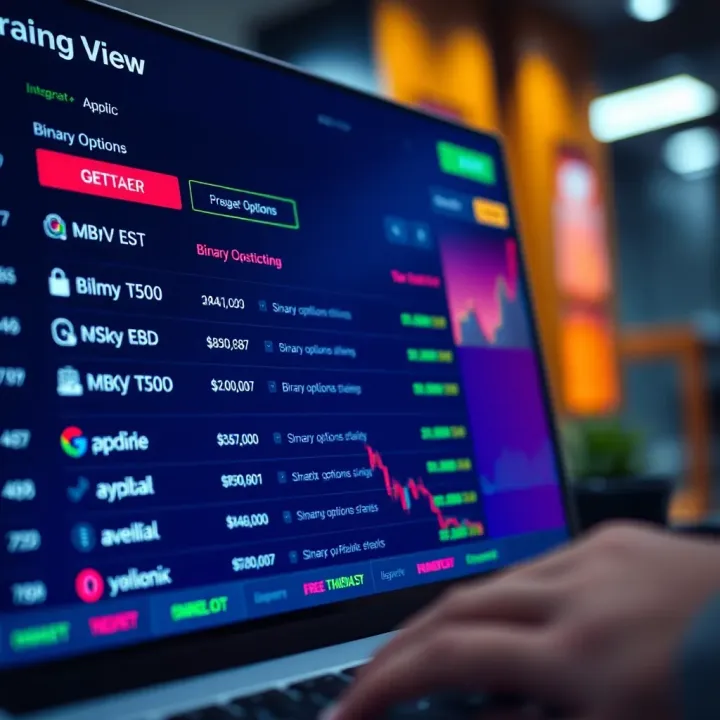
For instance, in a clearly upward trending market, a trader might lean toward call options, anticipating continuation. These visual cues and technical insights reduce guesswork, supporting more informed decisions.
One practical way TradingView aids traders is through its customizable alerts. You can set alerts for price levels, indicator thresholds, or even complex conditions combining multiple factors.
Imagine setting an alert to notify you the moment EUR/USD crosses a particular RSI level at your preferred timeframe, so you can act immediately without staring at the screen all day. This optimizes time management and ensures opportunities don’t slip by unnoticed.
In the fast-paced world of binary options, TradingView’s blend of real-time data, trend identification, and alert systems offer a toolkit designed for quick, informed decisions that enhance trading effectiveness.
TradingView charts play a big role in binary options trading by helping you see what's happening in the market quickly and clearly. When you're trading binary options, you don't have the luxury of waiting too long; decisions need to be fast and based on solid info. Using TradingView's charts lets you spot trends, patterns, and price moves that matter — all in real time. This is especially useful in spotting good entry and exit points, which can make a big difference in binary options where the payoff is all or nothing.
Picking the right timeframe on your chart is like choosing the right lens for a photo. You want to zoom in or out just enough to catch the big moves without getting lost in noise. Short-term charts, like 1-minute or 5-minute views, are great for quick decisions if you're trading options that expire in a few minutes or an hour. On the flip side, long-term charts like 1-hour or daily views help if your binary options last several hours or even days, giving a broader picture and filtering out minor swings.
Aligning your chart timeframe with your option's expiry is key. For instance, if you’re trading a 15-minute binary option, looking at a 1-minute or 5-minute chart makes sense because you can track price changes closely in the run-up to expiry. Conversely, for longer expiry periods, picking a matching or longer timeframe chart prevents misleading signals and keeps your analysis relevant.
Being able to spot reversal and continuation patterns on charts can be a real game changer. Reversal patterns, like the double bottom or head and shoulders, signal the market might change direction soon — this helps you decide when to bet on a price going up or down. Continuation patterns, such as flags or pennants, suggest that the current trend is set to keep going, so you can ride the wave rather than jump off too early.
Candlestick formations play a huge part here. For example, a hammer candlestick after a downtrend might tell you buyers are stepping in, hinting at an upcoming upward move. Similarly, bearish engulfing patterns can warn of a drop. These visual clues on TradingView charts give you edge since binary options demand quick, decisive moves.
Indicators like RSI (Relative Strength Index), MACD (Moving Average Convergence Divergence), and the Stochastic Oscillator are staples for adding depth to your analysis. RSI helps you see if an asset is overbought or oversold, which can signal a reversal soon. MACD shows momentum changes, making it handy for detecting trend shifts. The Stochastic Oscillator, meanwhile, is good at identifying potential price turns by comparing closing price levels over time.
Setting the right parameters for these indicators is crucial. For binary options, which often require spotting quick moves, you might use shorter periods — like a 7 or 14 RSI instead of the usual 14 or 21 — to get more sensitive signals. Think of it like tuning your radio; too broad, and you catch unwanted noise; too narrow, and you miss some stations.
Finally, combining indicators is a smart way to confirm signals and avoid jumping at false alarms. For example, if RSI shows oversold conditions and MACD is crossing bullishly, it's a stronger cue to place a trade. This layered approach reduces risk and helps you spot better setups on TradingView.
Remember, no single tool is foolproof in binary options. Using charts, patterns, and indicators together gives you the best shot at smart trades.
By mastering these charting techniques on TradingView, you’ll feel more confident navigating the fast-paced binary options market and making trades backed by well-rounded analysis.
Integrating TradingView with binary options brokers bridges the gap between analysis and execution, providing traders with a streamlined workflow. This connection makes it easier to act on insights gained from TradingView's charts and signals right within the broker’s platform. For traders focused on binary options, where timing and precision are everything, having an integrated setup can mean the difference between catching the right trade or missing out.
Broker integration isn’t just about convenience—it also helps reduce manual errors, improve order speed, and support more effective risk management by quickly responding to market moves. For instance, some brokers that have hooks into TradingView allow users to trigger trades or alerts directly through the platform, rather than flipping back and forth between applications.
Several well-known binary options brokers provide compatibility or partial integration with TradingView. Examples include IQ Option, Deriv, and Binomo. While these brokers don’t always offer full-featured TradingView APIs, they typically support popular alert systems or webhooks that can be linked to TradingView alerts. This ensures that when your chart signals a trade setup, you can execute it swiftly without switching platforms.
Understanding which brokers support TradingView features can help you pick a partner that fits your trading style. For instance, Deriv's platform permits connection through APIs for price feeds and signals, making it popular among traders who want to automate or semi-automate aspects of their binary options trading. On the other hand, brokers like IQ Option simplify trade placement by allowing direct alert notifications.
TradingView’s alert system is powerful, offering triggers based on price action, indicators, or custom scripts. When combined with broker platforms that accept webhook signals, you can set alerts in TradingView and have them automatically notify or even initiate a trade on your broker’s end.
For example, you could set an alert to trigger when the RSI indicator crosses below 30, signaling a potential rebound. The alert can then send a webhook to your binary options broker platform, which in turn prepares a buy or sell order. This cuts out the lag time and lets you respond instantly to the market.
To make this work, ensure your broker supports webhook inputs or API calls from TradingView, and that your alerts are set with precise conditions that match your trading strategy.
Automated trading bots that rely on TradingView signals are becoming more common, especially in binary options trading where speed and accuracy matter. These bots use alerts generated by customized TradingView strategies to place trades automatically, without manual intervention.
Such automation can keep you in the game 24/7, quickly capturing short-lived setups that manual traders might miss. For example, you can program a bot to react to moving average crossovers or specific candlestick patterns detected in TradingView, executing trades as soon as those conditions occur.
Trading bots connected to TradingView also allow backtesting strategies and running them live in a controlled environment, which is a practical way to iron out kinks before risking real money.
Despite its appeal, automated trading with TradingView signals comes with caveats. Firstly, many brokers have limited API capabilities for binary options, so full automation might not always be feasible. Additionally, bots rely entirely on the quality and accuracy of the signals; a poorly calibrated strategy can quickly lead to losses.
Latency is another concern: even slight delays between signal generation and trade execution may cause you to miss the sweet spot. Plus, market conditions can change abruptly, rendering your automated strategy unsuitable until manually adjusted.
Always monitor your bots actively, implement fail-safes like drawdown limits, and avoid fully trusting automation without human oversight.
In summary, integrating TradingView with binary options brokers offers practical benefits, from faster trade execution to the potential of automated trading. But success depends heavily on choosing compatible brokers, understanding API functions, and cautiously managing automation risks.
Crafting tailored trading strategies using TradingView is a practical step for any binary options trader who wants to get ahead. TradingView’s interface and tools offer much more than chart visuals; they give traders the means to test ideas, detect patterns, and fine-tune approaches before risking real money.
By developing strategies directly on TradingView, traders can closely observe how different signals interact, understand the timing that works best for certain tactics, and identify the market conditions that fit their plans. This hands-on approach can make the difference between tossing a coin and making informed bets.
Trend-following strategies rely on the principle that prices often keep moving in one direction for a while. Traders using this strategy look for clear upward or downward trends and choose options that align with that direction. For example, if the 50-day moving average crosses above the 200-day moving average, this "golden cross" may signal a buying opportunity, so a trader might select a call option anticipating continued price growth.
This strategy is practical because it rides momentum rather than fighting it. However, spotting a genuine trend early and avoiding fakeouts requires skill and patience. Tools on TradingView like moving averages, MACD, and trendlines can help confirm the strength and direction of trends.
Range-bound strategies work when the market is moving sideways, bouncing between support and resistance levels. Traders find predictable price ranges and place trades betting the price will respect these levels. Suppose an asset consistently hits $50 on the low end and $55 on the high; a trader might buy a put option near $55 and a call near $50.
This approach fits markets without strong trends and demands close attention to price action within the established range. TradingView charts help by showing horizontal support and resistance zones, while oscillators like RSI indicate overbought or oversold conditions useful for timing entries.
News-based strategies take advantage of market volatility caused by economic releases or major announcements. Since binary options often have short expiry times, reacting quickly to news can produce opportunities. Imagine an unexpected central bank rate change causing sharp price swings—traders using this strategy might opt for very short-term options to profit from sudden moves.
While potentially profitable, this method involves higher risk due to unpredictability. TradingView’s economic calendar and real-time data alerts assist traders in preparing and executing trades aligned with news events.
Backtesting is a powerful way to check if a strategy might work without risking actual cash. TradingView’s built-in strategy tester allows you to simulate trades over past price data by applying your rules to historical charts.
To use this, you set your entry and exit conditions in TradingView's Pine Script or use existing strategy scripts. The tester runs through historical periods and shows metrics like net profit, win rate, and drawdowns, giving a snapshot of the strategy’s performance.
Interpreting these results is key. A high win percentage alone doesn’t guarantee success if losses are large when they occur. Look for consistent profits and manageable drawdowns suited to your risk tolerance. Use the tester’s detailed logs to pinpoint when the strategy fails—maybe during unexpected news or sideways markets—and adjust accordingly.
Remember, past performance isn’t a sure bet for future results but backtesting is your best shot at ironing out flaws before real trades.
By combining thoughtful strategy development with TradingView’s testing tools, binary options traders can sharpen their edge and trade with more confidence in a complex market.
When trading binary options, having the right tools is only half the battle. Executing your trades effectively requires practical tips that can help you minimize mistakes and maximize opportunities. TradingView offers various features that, when properly used, can improve your decision-making and timing. This section focuses on actionable advice about setting alerts and steering clear of common pitfalls, so you stay in control rather than letting emotions or missed signals dictate your moves.
Setting custom alerts on TradingView is like having a trading assistant that nudges you exactly when market conditions suit your strategy. You can set price alerts at specific levels based on your binary options expiry times, so you won't miss critical price moves. For instance, if you are targeting a call option on EUR/USD with a 15-minute expiry, setting an alert at a key resistance can give you a heads-up to act swiftly.
To customize alerts, choose the asset of interest, then select 'Add Alert' on TradingView's chart interface. You can define conditions such as "price crosses above 1.2000" or "RSI hits 70," tailoring them to your trading plan. Alerts can be sent via app notifications, email, or even webhook for automated setups.
Binary options are all about timing — enter too early or late, and profits slip through your fingers. Using TradingView alerts helps you manage the timing perfectly. For example, a trader might set an alert when the MACD line crosses the signal line, indicating a potential upward move, and then enter a trade a few seconds after to catch the momentum.
By depending on alerts, traders avoid constantly staring at charts, which often leads to burnout or impulsive decisions. Instead, they can focus on preparation and strategy, knowing their alert system will notify them at the right moment.
Proper alert setup lets you conserve energy and make trades based on signals — keeping emotions out of the picture.
One of the quickest ways to flush your trading account is by overtrading — making too many trades in a short span without proper analysis. Binary options' short expiry times make this tempting, especially when watching fast-moving charts on TradingView, but it often results in emotional decisions.
For example, if a trade loses, some traders chase the market to recover losses impulsively. This behavior is a recipe for disaster. It's crucial to stick to a trading plan, limit the number of daily trades, and pause to evaluate rather than trying to catch every fizzing opportunity.
Jumping into trades without considering broader market context can lead to poor outcomes. Binary options traders sometimes focus so much on short-term signals on TradingView that they overlook news events, market sentiment, or multi-timeframe trends.
As a practical tip, always glance at economic calendars and major news releases before trading. For instance, if there’s a surprise interest rate announcement coming up, price volatility might spike unpredictably. TradingView allows you to check news and combine it with technical analysis, which can prevent mistakes caused by ignoring the bigger picture.
Implementing these practical tips—like customizing alerts and understanding when to step back—will help you trade smarter on TradingView and avoid common traps many make when trading binary options.
When trading binary options on TradingView, tapping into the right resources can make a big difference. These tools and communal features not only help you analyze the market more effectively but also sharpen your decision-making skills. It's like having a toolbox where every item has a specific use to boost your trading accuracy and timing.
TradingView is packed with scripts, indicators, and a large community of traders who share ideas, strategies, and insights. This collective intelligence helps reduce the guesswork often involved in binary options trading. Let’s break down how you can leverage these resources to get more out of your trading experience.
TradingView’s vast library includes hundreds of community-created scripts and indicators designed to spot market signals for binary options. These are user-friendly tools, often built using Pine Script, that automate parts of the technical analysis, like identifying support and resistance levels or signaling overbought/oversold conditions.
For instance, a popular script might be one that highlights RSI crossovers – a key moment indicating potential market reversals. Using these scripts saves you from endlessly staring at charts and helps you act fast, which is crucial in binary options where timing is tight.
To find these, you can browse the Public Library on TradingView, filter by popularity or recent updates, and test several scripts in a demo environment. Remember, not all scripts fit every trading style, so exploring a few is key to discover what aligns with your strategy.
One key advantage TradingView scripts offer is flexibility. You don’t have to accept them as-is. Tweaking parameters like signal thresholds, timeframes, or combining multiple indicators can tailor the alerts to better fit your trading goals.
Say you prefer short-term binary options expiry; adjusting the script to generate signals on a 5-minute chart instead of a daily one can make it way more practical. This customization requires some basic knowledge of Pine Script, but TradingView's editor is straightforward enough for beginners to start with.
By adapting scripts, you can reduce false signals and better match the indicators to the specific assets or market conditions you trade. It’s like fine-tuning a radio to get the clearest station.
TradingView’s strength lies in its community. Watching what other traders are saying and sharing can open your eyes to new patterns or strategies you might not encounter alone. You can access thousands of trading ideas posted daily, complete with charts and explanations.
For example, if you follow an experienced trader who shares well-analyzed binary options signals or alerts about market volatility, you gain insight without spending hours on research. Discussions below each idea often include important clarifications or counterpoints to consider.
This peer learning environment helps you gauge market sentiment and avoid tunnel vision, making your decisions more balanced and informed.
Contributing your own insights helps solidify your understanding and builds credibility in the TradingView community. Many traders find that writing down their strategies and sharing real trades encourages discipline and critical thinking.
If you’ve developed a successful approach, posting it invites feedback that can refine your method. Also, teaching others forces you to simplify and clarify your own knowledge — a win-win for everyone involved.
Plus, community engagement can lead to discovering like-minded traders, possibly evolving into partnerships or mentorships that further your binary options skills.
Engaging proactively with TradingView’s resources isn’t just about using tools—it’s about becoming part of a dynamic learning ecosystem that can significantly enhance your binary options trading results.
By combining customized scripts and active community participation, you stand a better chance to keep pace with the fast-moving binary options markets and make smarter, more confident trades.
📊 Master TradingView for binary options! Learn chart setup, key indicators, smart strategies, and risk controls to trade smarter in Pakistan's market.
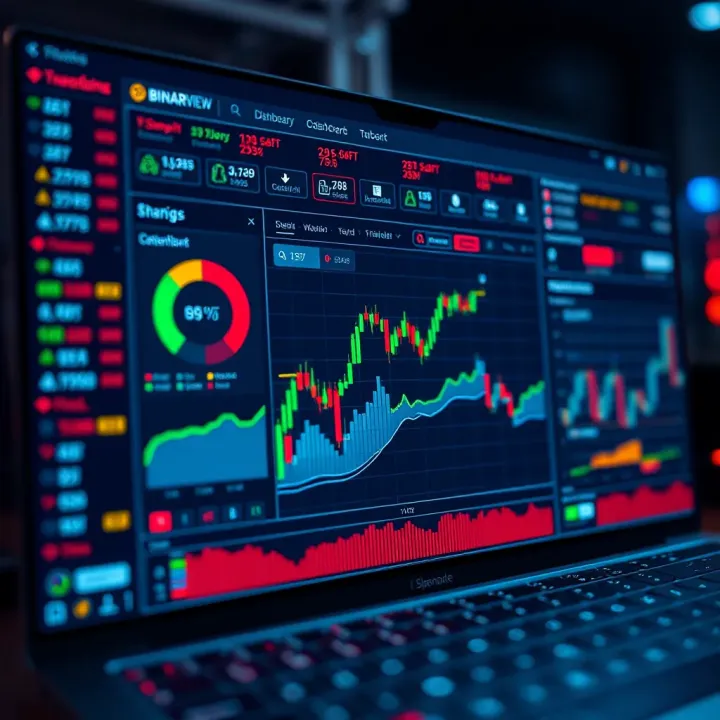
Explore how to enhance binary options trading in Pakistan by connecting TradingView’s advanced charts with Binary.com. Master strategies, set up tools, and manage risks effectively 📈💡

📈 Explore TradingView's charting tools and market analysis for binary options in Pakistan. Learn strategies, risks, and tips to trade smarter!

📊 Explore TradingView’s powerful charts and tools designed for traders and investors in Pakistan. Master market analysis and make smarter decisions today!
Based on 9 reviews